Model and tool traffic
The LLM and MCP Gateways use the shared audit plane. LLM response events include status and latency, with model, provider, tokens and policy details when available. Refusals and findings have their own event types.
When someone asks why an AI call was allowed or refused, you need more than an application log. DVARA’s AI governance platform records decisions through its configured audit writer, so you can investigate outcomes and check the evidence.
A simplified illustration of three positions in one signed chain—not a live verification or a Flightdeck screen.
The records checked are consistent with their signatures and neighboring links. This does not prove that every expected event was recorded.
In Flightdeck, select the audit plane, workspace, event type and time range. Open a record to inspect its payload and, when available, its signature details. Export the matching events without copying rows by hand.Flightdeck · isolated audit demo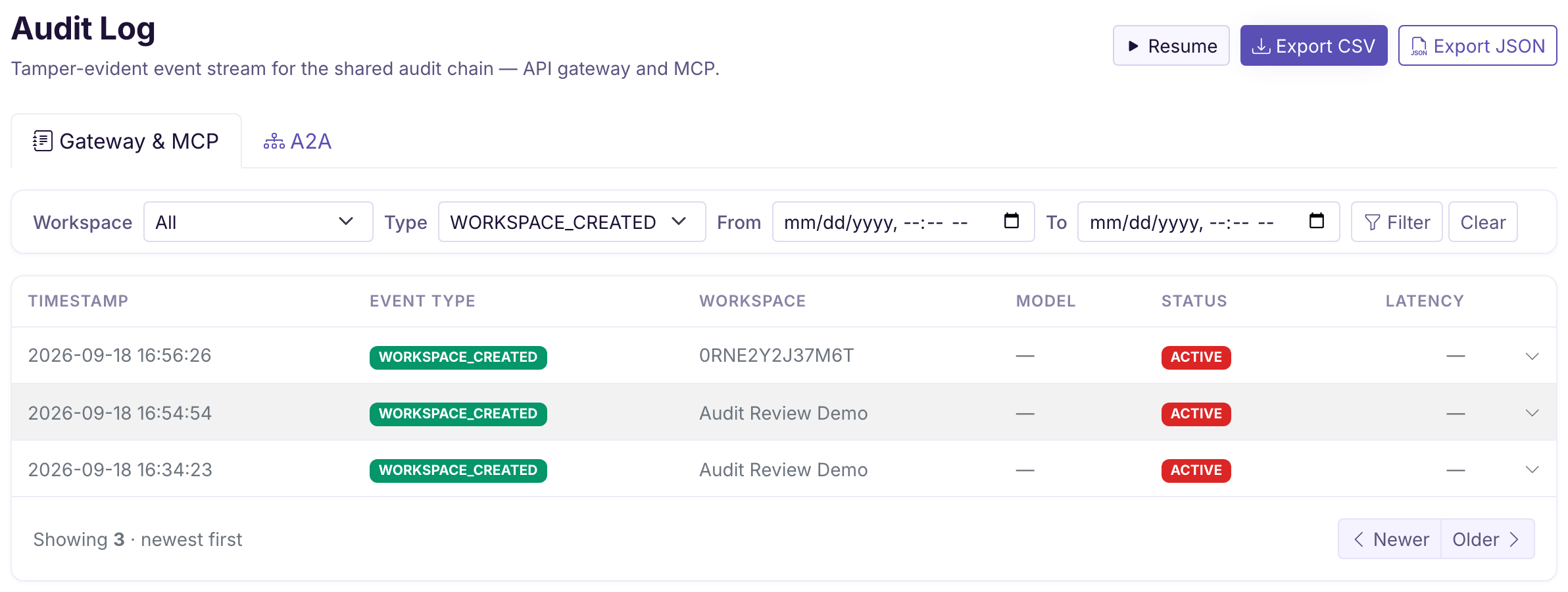
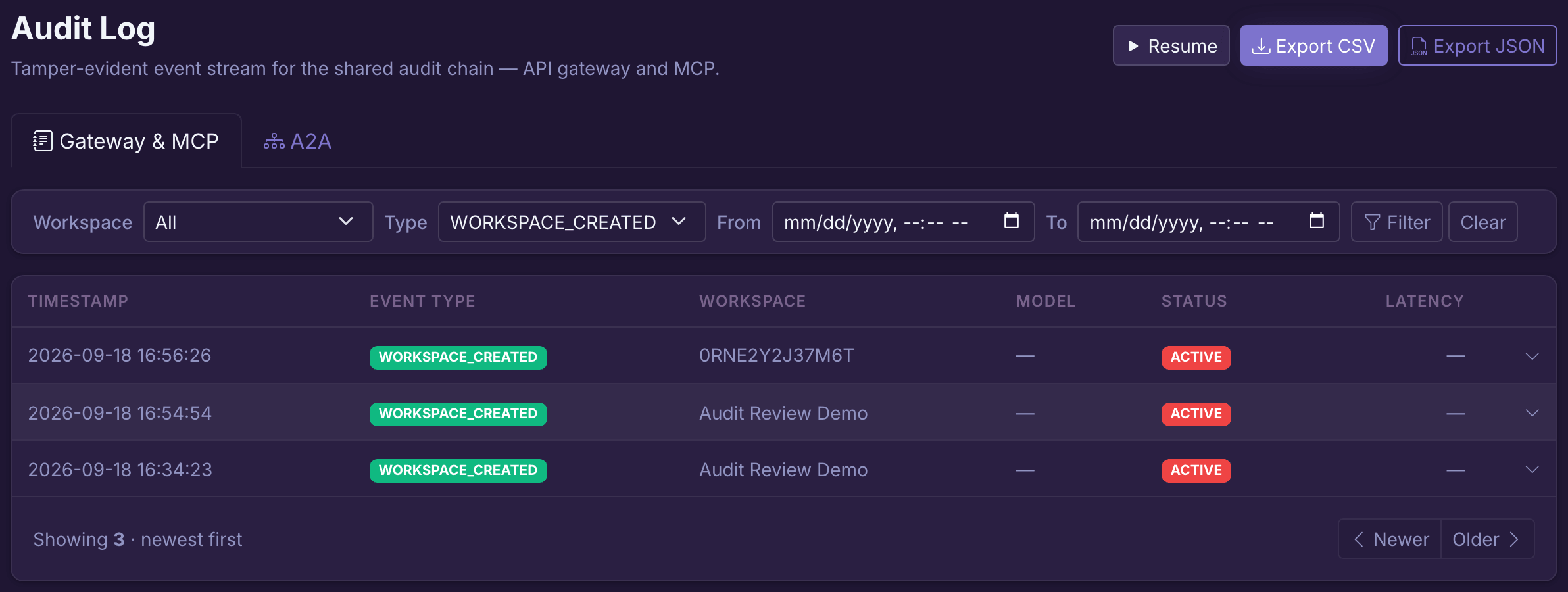
The LLM and MCP Gateways use the shared audit plane. LLM response events include status and latency, with model, provider, tokens and policy details when available. Refusals and findings have their own event types.
Select A2A in the same Audit screen. Agent hops use a separate chain and event store; changing the selector changes what you search and export.
Administrative events help you investigate configuration changes alongside runtime decisions. An administrative event is not evidence that a model or tool was called.
Open Source supports a local signed audit file when you configure its path and signing secret; the default writer alone does not create that file. Enterprise adds Flightdeck, persistent fleet evidence, SIEM export and reports. See capability availability and production terms.
Signed audit records use HMAC-SHA256 and links to previous signatures. These checks expose mismatched signatures and broken links in the records examined. Fleet writers have separate chain segments, rather than one global signing sequence.
Protect the signing secret and access to storage. Someone who controls the key can generate signatures; someone with storage access can remove records. Tamper-evident does not mean tamper-proof.
A missing tail or an event never written cannot be established from matching signatures alone. Traffic that bypasses DVARA is outside this audit trail.
Use CSV for a spreadsheet or JSON to preserve nested payloads. Flightdeck exports matching events from the selected plane. These downloads contain event data, not the signed chain envelopes.
Splunk, CloudWatch Logs and Kafka exporters are off until configured. Forwarding is asynchronous, with bounded queues. Failures and full queues can lose exported copies; monitor delivery rather than assuming the SIEM has everything.
Configure an exporter →Generate a framework report for a workspace and period, then download its PDF. The report summarizes available evidence; the downloaded PDF is not digitally signed by this workflow.
Choose SOC 2, HIPAA, GDPR, India RBI or India SEBI. The reporting service supports all five on demand and through optional schedules; schedules are unset by default. Review the findings and coverage before sharing a report.Flightdeck · isolated audit demo

Report counts describe the selected scope, but integrity checks can cover a different, bounded set of stored envelopes. Check the coverage described in the report rather than reading a valid result as proof of the whole reporting period.
Follow the report workflow →For a self-managed deployment, set retention and backups to match the evidence you need. Signing does not preserve records after deletion, replace backups or recover a lost signing key.
Audit archiving is off by default. Enabling it requires object storage configuration; review archive verification and deletion boundaries before relying on it for long-term evidence.
Keep prompt storage separate from event retention. Global prompt storage is off by default, with workspace opt-in. Decision metadata is not a promise that every application log, export or stored prompt is free of sensitive data.
Review PII and data protection →No. Read the number of records checked and the verification scope. A bounded check does not cover all historical records, and a matching signature cannot prove that an event was recorded in the first place. Protect signing keys, monitor delivery, and preserve backups separately.
No. PII decision events record entity types and counts rather than detected values; guardrail findings describe the decision. Prompt storage is a separate opt-in control, off globally by default. Review workspace overrides and the payloads of the event types you retain.
Yes. Flightdeck exports the selected audit plane and filters as CSV or JSON. JSON preserves the payload structure. These event exports do not contain the signed envelopes needed to independently verify the chain.
No. It summarizes evidence available to DVARA. It is not a certification or an assessment of your entire organization. Review its scope, missing evidence and integrity coverage before using it in an assessment.
Make a test change, find its event, check the available integrity evidence and export the result.