Operate DVARA with Flightdeck
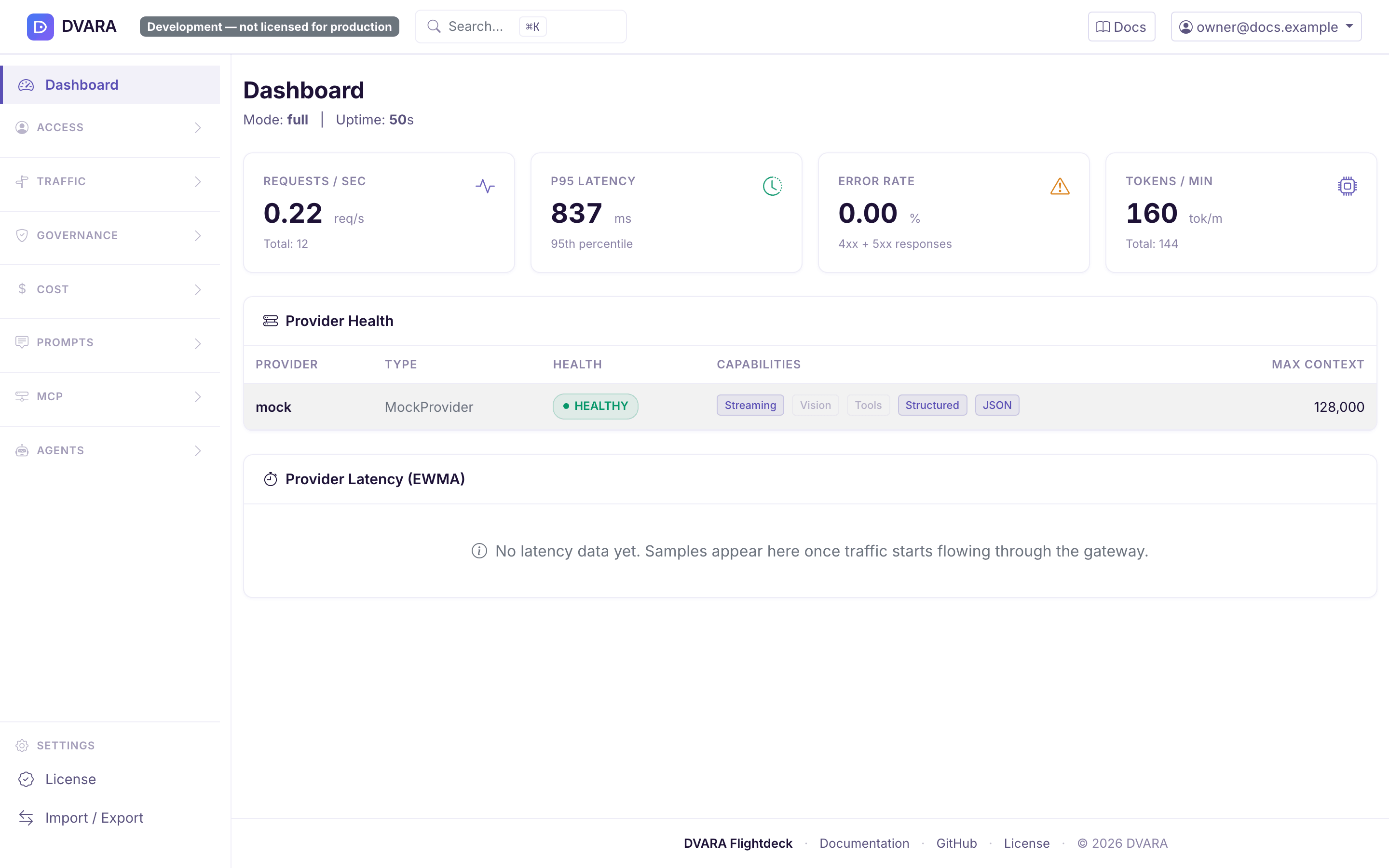
DVARA Flightdeck is the control plane for the Enterprise DVARA AI governance platform. Operators use it to manage governance across the fleet; workspace teams use it to manage only their own applications, keys, controls, and evidence.
The Open Source distribution does not include Flightdeck. It is configured from
gateway.yaml; use Configure DVARA safely
for that workflow.
A licence changes deployment rights and capacity, not feature access. See Licensing.
Start with the work your role allows
Flightdeck is one role-aware application. It shows platform-wide or workspace-scoped navigation from the signed-in user's roles:
| View | Who uses it | Scope | Use it for |
|---|---|---|---|
| Platform-wide navigation | owner, policy-admin, billing-admin | All workspaces allowed by the platform role | Fleet configuration, governance, cost, audit, and operations |
| Workspace navigation | admin, developer, viewer | One workspace | Self-service keys, credentials, policy, usage, evidence, prompts, and agent resources |
An account belongs to one role scope. Platform operators do not use a workspace role to narrow their view, and workspace users cannot cross into another workspace.
Flightdeck hides navigation that your role cannot use, but the server still enforces the same rule when someone enters a URL directly.
Sign in and check the gateway connection
Built-in email and password authentication is the default. On a new install,
open Flightdeck and complete /setup to create the first owner; that route
closes after the first account exists. A production deployment can use OIDC or
SAML instead.
After sign-in, check the connection indicator in the user menu:
- Connected means Flightdeck can read live status and metrics from the LLM Gateway.
- Disconnected means live gateway panels and request-path verification are unavailable. Configuration stored by Flightdeck remains accessible, but do not assume the data plane received a change until the connection recovers.
The shared DVARA_ACTUATOR_API_KEY lets Flightdeck read operational status;
the separate DVARA_ACTUATOR_METRICS_API_KEY lets it read metrics. Set the
same corresponding value on Flightdeck and the gateway, and keep the two keys
different from each other.
Complete the first operator workflow
Sign in as an owner for this first fleet setup.
1. Create a workspace and DVARA API key
Open Access → Workspaces, create a workspace, then create an API key for it. Copy the plaintext key when Flightdeck shows it; only its fingerprint is kept, so the key cannot be recovered later.
Use a name that identifies the application and environment, such as
claims-api-production. This makes later audit and cost attribution readable.
2. Add a provider credential
Open Access → Credentials and create the provider credential the route will use. Flightdeck-managed credentials take effect without a gateway restart.
Choose encrypted storage when DVARA should hold the secret. Choose reference storage when an external vault should remain the source of the secret. The encryption master password must be present before you store an encrypted credential.
3. Create a route
Open Traffic → Routes and map the model name your application sends to a configured provider. Start with one provider and one exact or narrow model pattern; add weighted routing, failover, or other strategies only after the basic path is verified.
4. Add policy in shadow mode
Open Governance → Policies, create a policy for the workspace, and promote
it to SHADOW. Shadow policy evaluates and records a decision without refusing
the request. Review the resulting events before promoting it to ACTIVE.
5. Send one governed request
Replace the host, key, and model with the values you created:
curl --silent https://<dvara-host>/v1/chat/completions \
  --header 'Authorization: Bearer <your-dvara-key>' \
  --header 'Content-Type: application/json' \
  --data '{
    "model": "<configured-model>",
    "messages": [
      {"role": "user", "content": "Confirm the governed route is working."}
    ]
  }'
A successful provider response keeps the OpenAI-compatible shape:
{
  "id": "chatcmpl-7f12",
  "object": "chat.completion",
  "model": "<configured-model>",
  "choices": [
    {
      "index": 0,
      "message": {
        "role": "assistant",
        "content": "The governed route is working."
      },
      "finish_reason": "stop"
    }
  ]
}
6. Verify the result in Flightdeck
Open Governance → Audit, select the workspace, narrow the time range, and
filter the event type to GATEWAY_RESPONSE. The row shows the model, response
status, and latency; expand it to inspect the recorded payload. If the shadow
policy would have denied the request, filter for its POLICY_SHADOW_DENY event.
Then check Cost → Cost Dashboard for workspace attribution after usage data
is recorded.
The request, response, and audit row complete the round trip. A 200 response
alone proves that the provider answered; the audit row proves that DVARA
identified the workspace and applied the expected governance path.
Use the role built for your job
| Role | Start here | Main responsibility |
|---|---|---|
owner | Dashboard | Full platform operation, identities, credentials, sensitive data operations, and configuration import/export |
policy-admin | Traffic and Governance | Routes, policy, guardrails, PII, evidence, and agent controls |
billing-admin | Cost | Spend, pricing, budgets, chargeback, and the evidence views available to the finance role |
admin | Workspace Dashboard | Full operation of one workspace, including its team and data-protection posture |
developer | Workspace API Keys | Application setup and the writable workspace workflows exposed to developers |
viewer | Workspace Audit or Usage | Read-only review within one workspace |
Some individual actions are narrower than the page that contains them. For example, a read-only user can inspect a resource without seeing its create, rotate, revoke, or delete action. Use the page's visible controls as the guide and do not share one operator account across people.
Know where routine work lives
| Task | Platform-wide destination | Workspace destination |
|---|---|---|
| Create or inspect a workspace | Access → Workspaces | Current workspace only |
| Manage DVARA API keys | Open a workspace | Identity → API Keys |
| Manage provider credentials | Access → Credentials | Identity → Credentials |
| Change routing | Traffic → Routes | Managed by the platform operator |
| Write and test policy | Governance → Policies | Governance → Policies |
| Set workspace PII and guardrails | Open the workspace or use governance controls | Governance → Data Protection (admin only) |
| Review decisions | Governance → Audit | Governance → Audit |
| Review spend and caps | Cost | Cost → Usage and Budget Caps |
| Review or release agent actions | Governance → Approvals | Agents → Approvals |
| Manage MCP and A2A resources | MCP and Agents | Agents |
| Export or import fleet configuration | User menu → Import / Export (owner only) | Not available |
| Check licence state | User menu → License | Not available |
Press Cmd+K on macOS or Ctrl+K elsewhere to search the destinations available to your role. MCP and A2A destinations appear only when their plane and your role make them available.
Know when a change is live
Workspace, route, policy, budget, provider credential, MCP, and A2A records are managed configuration. A saved change normally reaches gateway pods within the default 3-second configuration poll interval; it does not require a restart.
Ports, database connections, authentication mode, encryption material, and actuator secrets are process configuration. Change them in the deployment and restart the affected service. The licence is not: set it on the License page, and it reaches Gateway pods with the next configuration bundle, with no restart.
For a sensitive rollout, verify both the behavior and the configuration-poller metrics on every pod. See Configure DVARA safely.