Prompts & Evals
Not included in DVARA Open Source.
DVARA's prompt management surface has four tightly related features:
- Prompt templates — versioned, variable-substituted prompts with a lifecycle (DRAFT → ACTIVE → ARCHIVED).
- Prompt experiments — A/B tests across template variants with per-variant metrics.
- Golden prompts + model fingerprinting + drift reports — periodically re-run a fixed prompt against a model to catch silent model changes.
- Eval pipeline — batch-run a suite of prompts against a model and score the results.
All four are admin-only surfaces.
Prompt templates
Open Prompts → Templates in the sidebar.
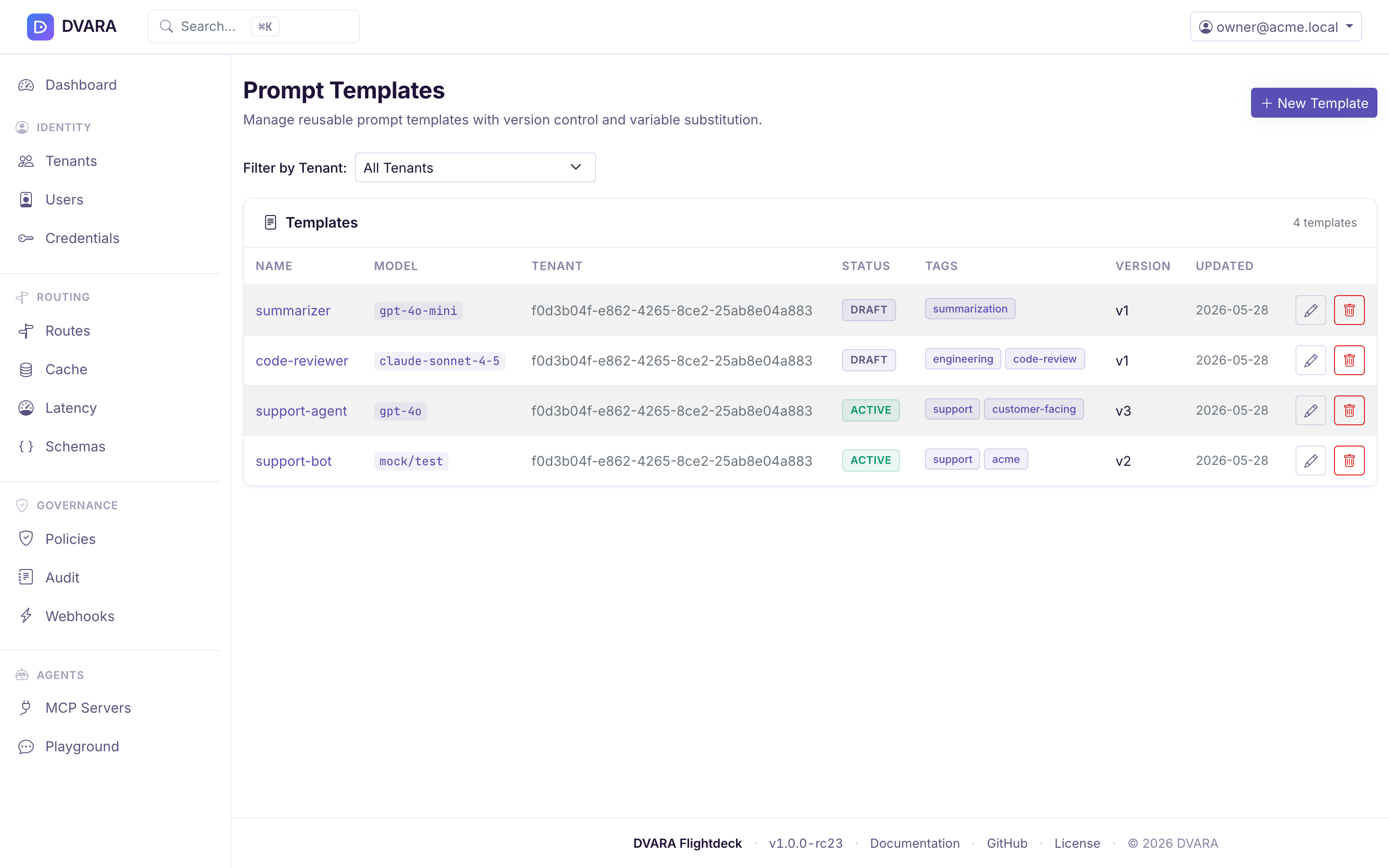
Template list
Lists every template with ID, name, workspace, status badge (DRAFT / ACTIVE / ARCHIVED), version, and last-updated timestamp. Use the Workspace dropdown filter to narrow the list.
Create / edit template
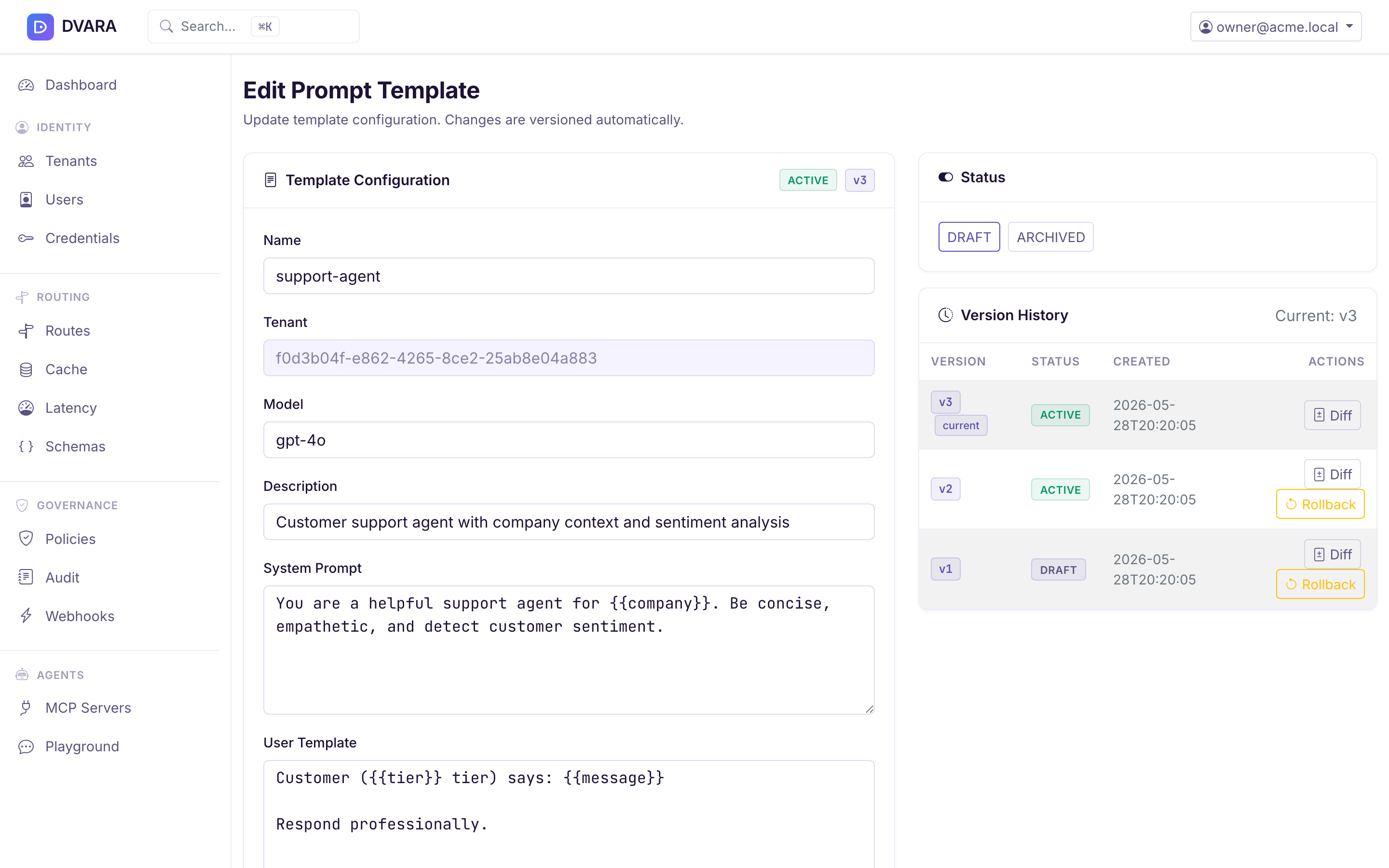
Click New Template to create a template with:
- Name — human-readable template name
- Workspace ID — scope to a workspace (blank = global)
- System prompt — optional system message, with
{{placeholders}}for variables - User prompt — the main prompt body, also with
{{placeholders}} - Status — DRAFT, ACTIVE, or ARCHIVED
Variables are auto-extracted from {{name}} tokens on save. A template starts in DRAFT status; only ACTIVE templates can be referenced from the Playground or request.metadata["prompt_template_id"] on chat completions.
Render preview
Click Preview with a map of variable values to see the rendered system / user text before saving. The render endpoint is also how the playground's template loader works.
Version history & rollback
Same mechanism as routes and policies: last 10 versions retained, diff viewer highlights changed fields, rollback creates a new version with the restored content.
Error codes: PROMPT_TEMPLATE_NOT_FOUND (404), PROMPT_TEMPLATE_NOT_ACTIVE (400), PROMPT_VARIABLE_MISSING (400), PROMPT_VERSION_NOT_FOUND (404), INVALID_TEMPLATE_STATUS (400).
Prompt experiments
Open Prompts → Experiments in the sidebar.
An experiment is an A/B test across multiple template variants. Each variant gets a weight (percentage of traffic routed to that variant), and the weights must sum to 100. The form totals weights as you type, refuses negative values, and warns when the same template appears twice. DVARA tracks per-variant request count, token usage, cost, latency, and error rate in a dedicated metrics collector.
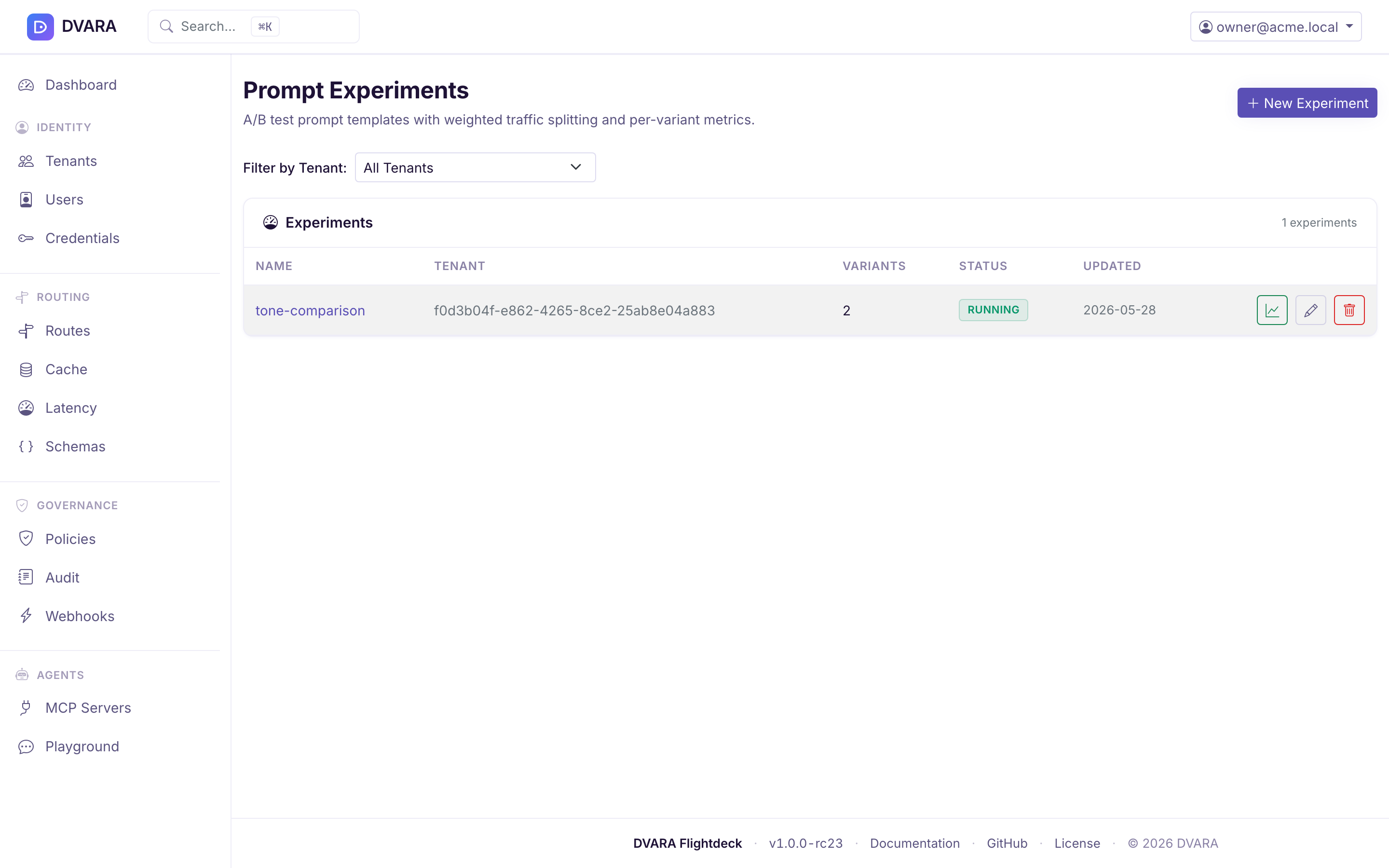
Experiment list
Lists every experiment with ID, name, workspace, status (DRAFT / RUNNING / PAUSED / COMPLETED), variant count, and start time. Filter by workspace.
Create / edit experiment
- Name — identifier
- Workspace ID — scope to a workspace (blank = global)
- Variants — a list of
{templateId, weight}pairs. Weights must total 100. DVARA rejects lopsided or incomplete configurations. - Status — DRAFT to start; transition through RUNNING → PAUSED → COMPLETED.
Once an experiment has started, its definition can no longer be edited. Pause or complete the run to stop assignment; duplicate it when you want to change the name, workspace, templates, or weights. This keeps one report tied to one stable configuration.
Lifecycle
- DRAFT — editable, no traffic is routed
- RUNNING — traffic is split by weight; metrics collected
- PAUSED — traffic reverts to the default template, metrics preserved
- COMPLETED — terminal; read-only
Metrics report
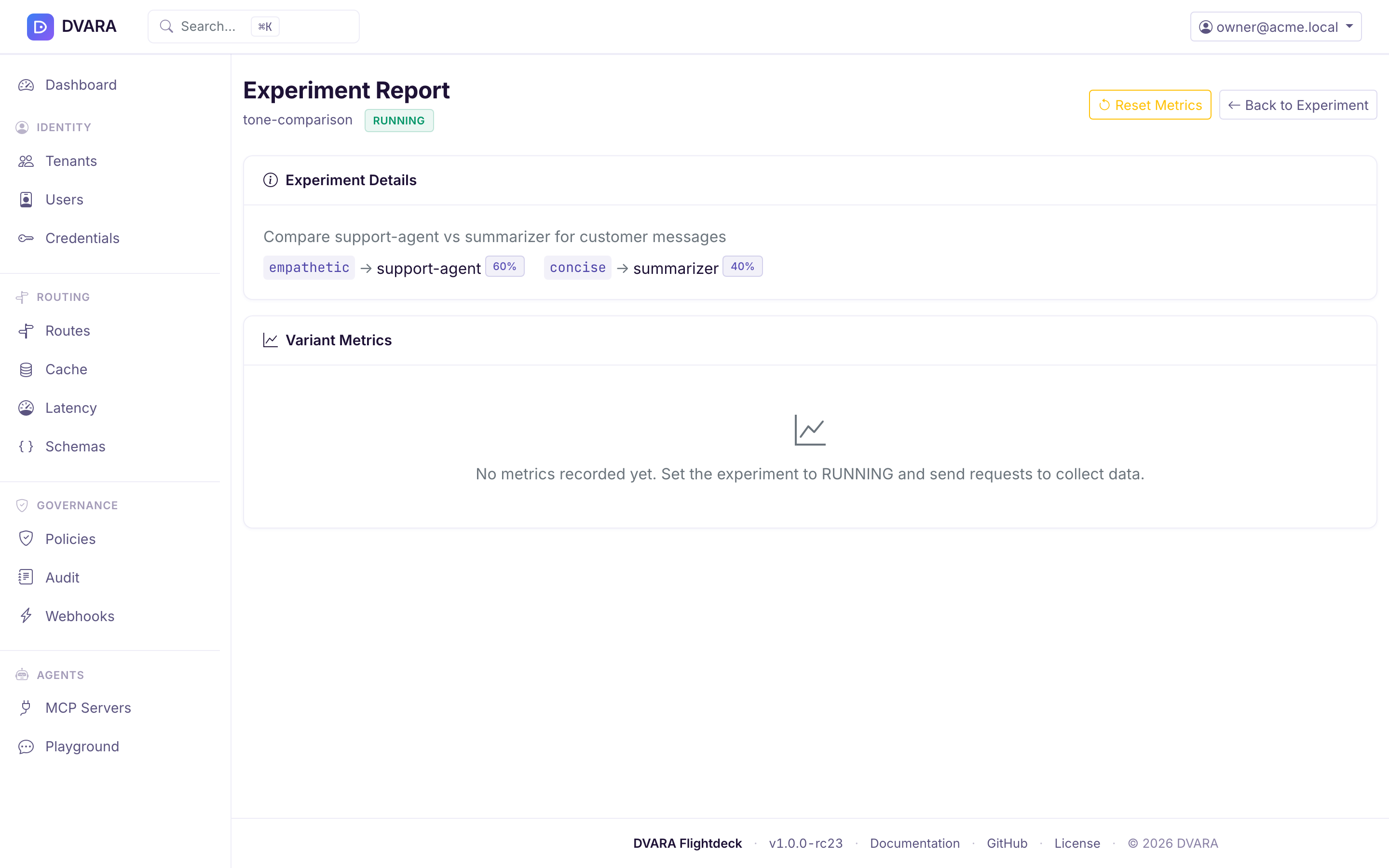
The experiment's report shows a per-variant snapshot: requests, tokens (in/out), total cost, average latency, error rate. The UI renders this as a side-by-side comparison table.
Two defects made earlier metrics not comparable with today's, and neither is corrected retroactively.
Latency and cost accumulated as literal zeros, so avgLatencyMs and avgCostUsd were structurally zero on every variant. Streaming traffic was assigned a variant and never recorded against it, so any experiment run before 1.7.0 compared non-streaming traffic only — a biased sample if the arms were not used identically by streaming clients, and silent, because the numbers looked plausible.
An experiment that spanned the upgrade keeps a request count that includes those requests, so its averages read low until new traffic dominates. Reset it (/experiments → Reset) or discount the averages. New experiments are unaffected.
One deliberate consequence: a streaming row is billed on an estimate where the provider reports no usage block, so a variant's average now mixes estimated and exact values. That is intended — the estimator's bias is the same in both arms and cancels in the comparison, whereas excluding streaming would introduce a selection bias that does not.
Error codes: PROMPT_EXPERIMENT_NOT_FOUND (404) and
PROMPT_EXPERIMENT_NOT_RUNNING (400). The latter also refuses a request when
an imported or bundled experiment has no variants or its weights do not total
100; DVARA does not silently assign the remaining traffic to one variant.
Golden prompts & model fingerprinting
Golden prompts are the canaries in your coal mine for silent model changes. DVARA periodically runs a fixed prompt against a model, hashes the response (and a feature-extracted fingerprint), and compares it to a baseline. When the fingerprint diverges beyond a threshold, a drift report is generated.
Open Prompts → Golden Prompts in the sidebar.
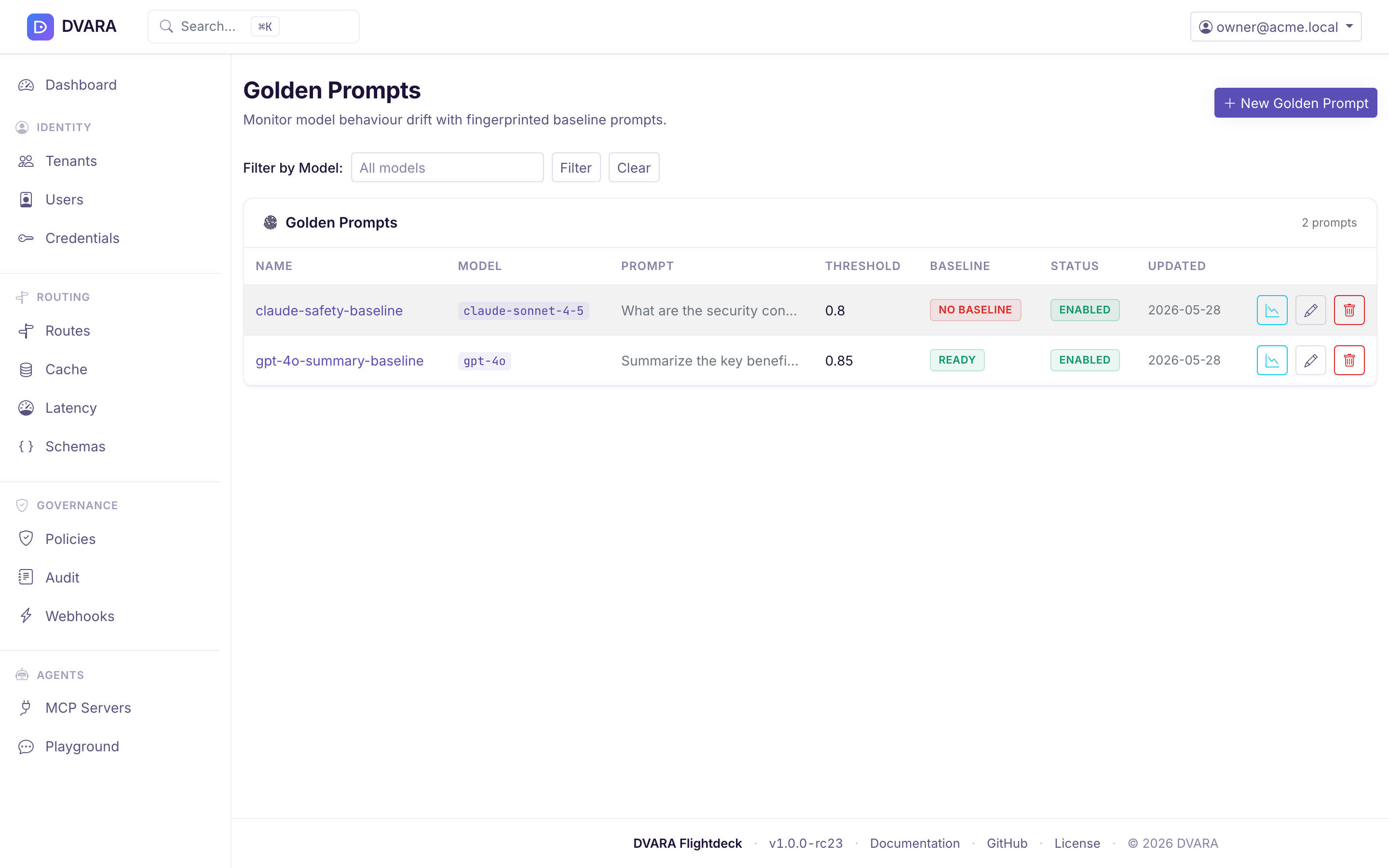
Golden prompt list
Lists every golden prompt with ID, name, model, last fingerprint timestamp, drift status badge, and actions. Filter by model.
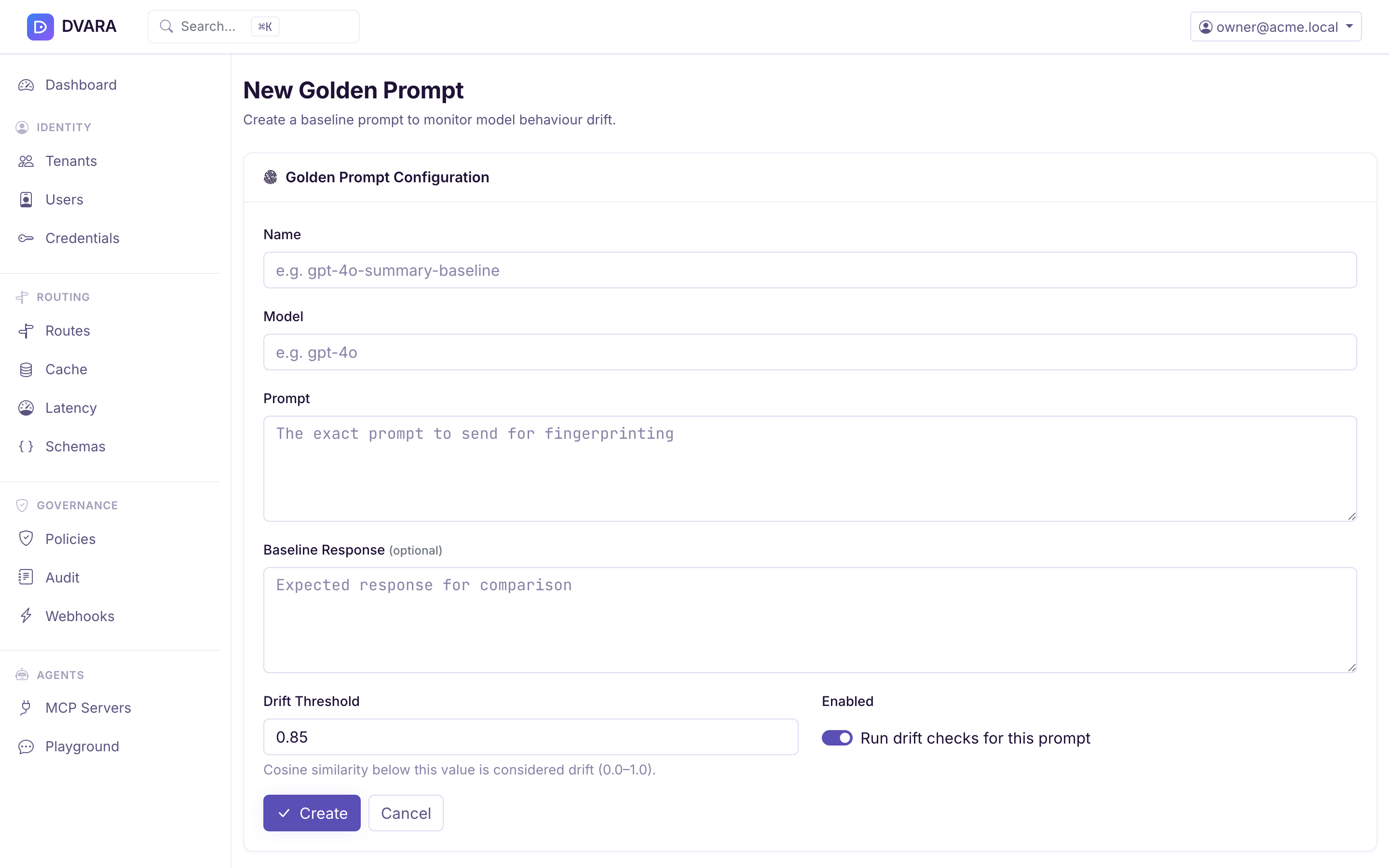
Create golden prompt
- Name — identifier
- Model — the exact model name to test (e.g.
gpt-4o-2024-08-06) - Prompt — the canary prompt body
- Expected response — optional, used for stricter match
- Similarity threshold — cosine similarity below which a result is considered drifted (default: 0.85)
Trigger a fingerprint check
Click Check Now to immediately re-run the prompt and compute a new fingerprint. The response includes the current and baseline fingerprints, similarity score, and drift flag.
Drift report
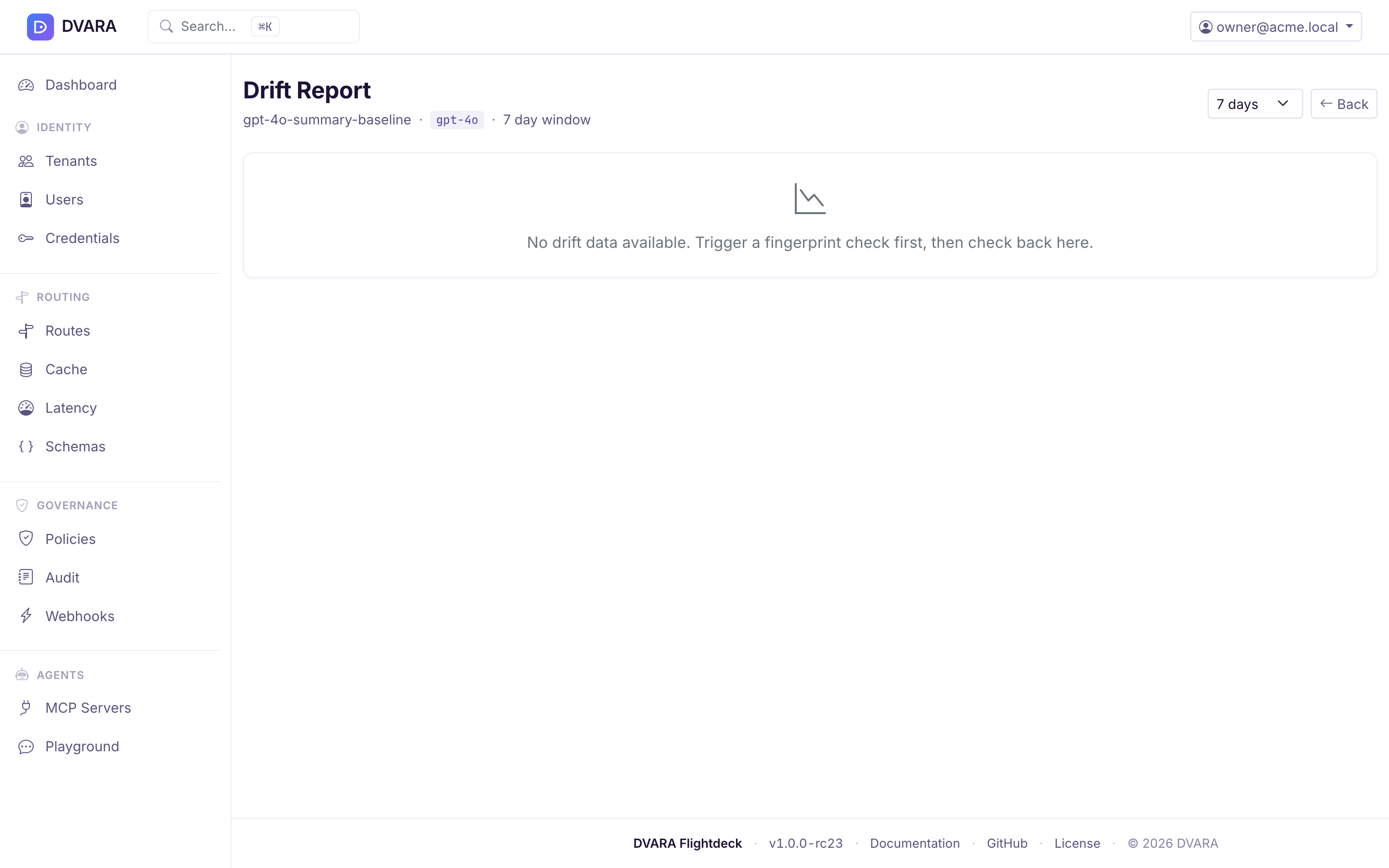
The drift view shows the history for the last N days (7 by default), including a time series of similarity scores and any events where the threshold was breached.
Under the hood, DVARA vectorizes each response with an embedding model, stores the resulting fingerprint alongside the baseline, and computes cosine similarity on every check. When the similarity drops below the configured threshold, a drift event is recorded.
Eval pipeline
Open Prompts → Eval Prompts (or Eval Reports) in the sidebar.
The eval pipeline is the batch counterpart to golden prompts — run a suite of prompts against a model and produce a scored report rather than a single drift event. Typical use cases: regression-testing a prompt template before promoting it to ACTIVE, or qualifying a new model before routing production traffic.
Eval prompts
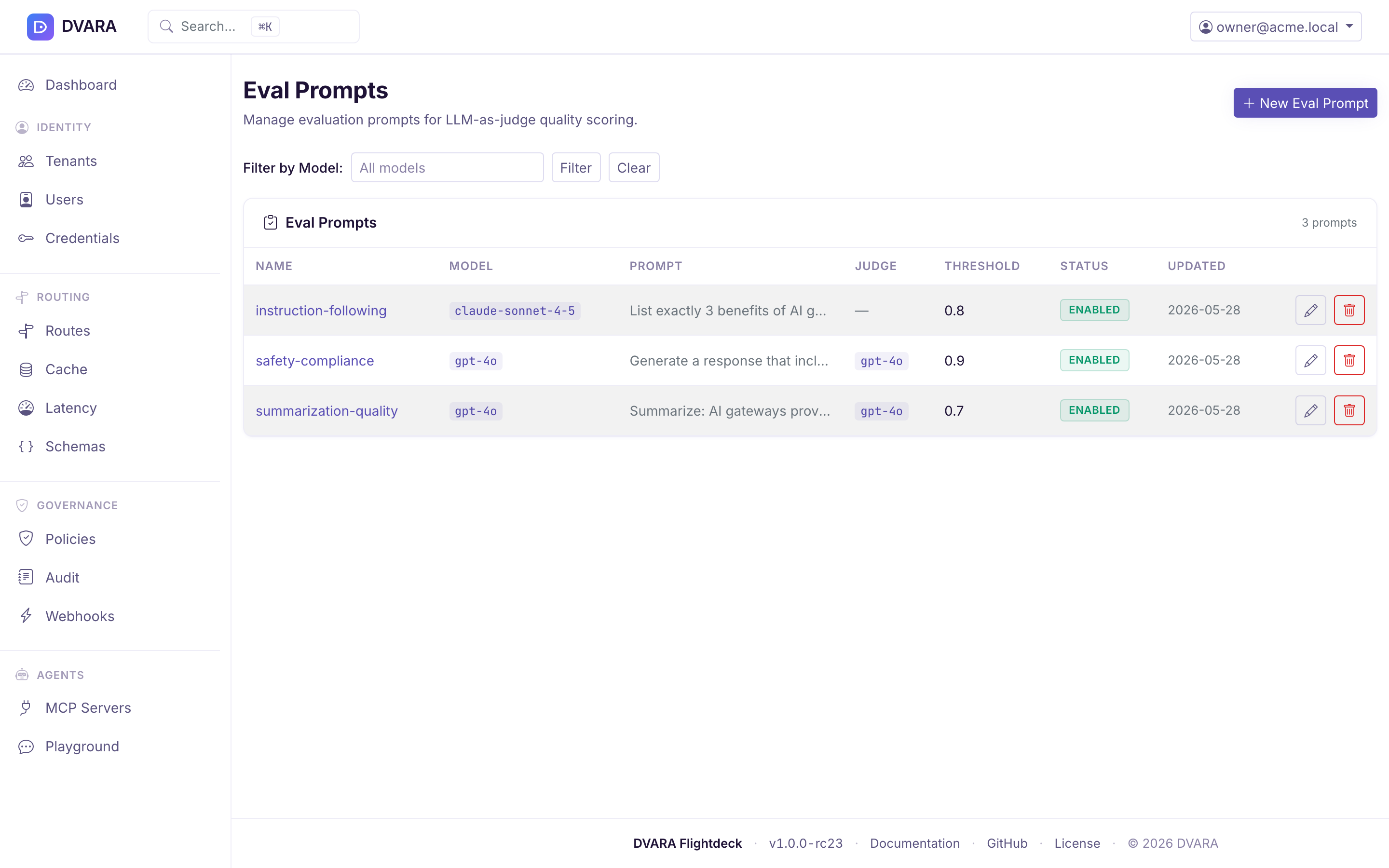
Managed on the Eval page (/eval/prompts). Each eval prompt has:
- Name — identifier
- Prompt — the input to send
- Expected — the expected output (exact match or semantic similarity)
- Scoring —
exact-match,embedding-similarity, or custom
Running an eval
- Single eval — runs one prompt against a specified model and returns the scored result.
- Suite run — runs every configured eval prompt against the given model and produces a report with pass / fail counts, scores, and per-prompt results.
Reports
The reports list shows every eval run with its pass rate and average score, filterable by model. Opening one gives the per-prompt detail — score, PASS/FAIL and the model's actual output — and the list can be narrowed to a single model over a time range to see whether quality is drifting.
Open a result to compare the target response with the judge detail. Export CSV downloads the same per-prompt evidence for offline review.
If the judge model is missing or its call fails, DVARA writes
EVAL_JUDGE_UNAVAILABLE and records the item as not scored; it saves no
zero-score result, so the outage does not count as a failed evaluation or lower
the pass rate. The default judge model is gpt-4o; change it with
dvara.llm-gateway.cache.semantic.eval.default-judge-model.
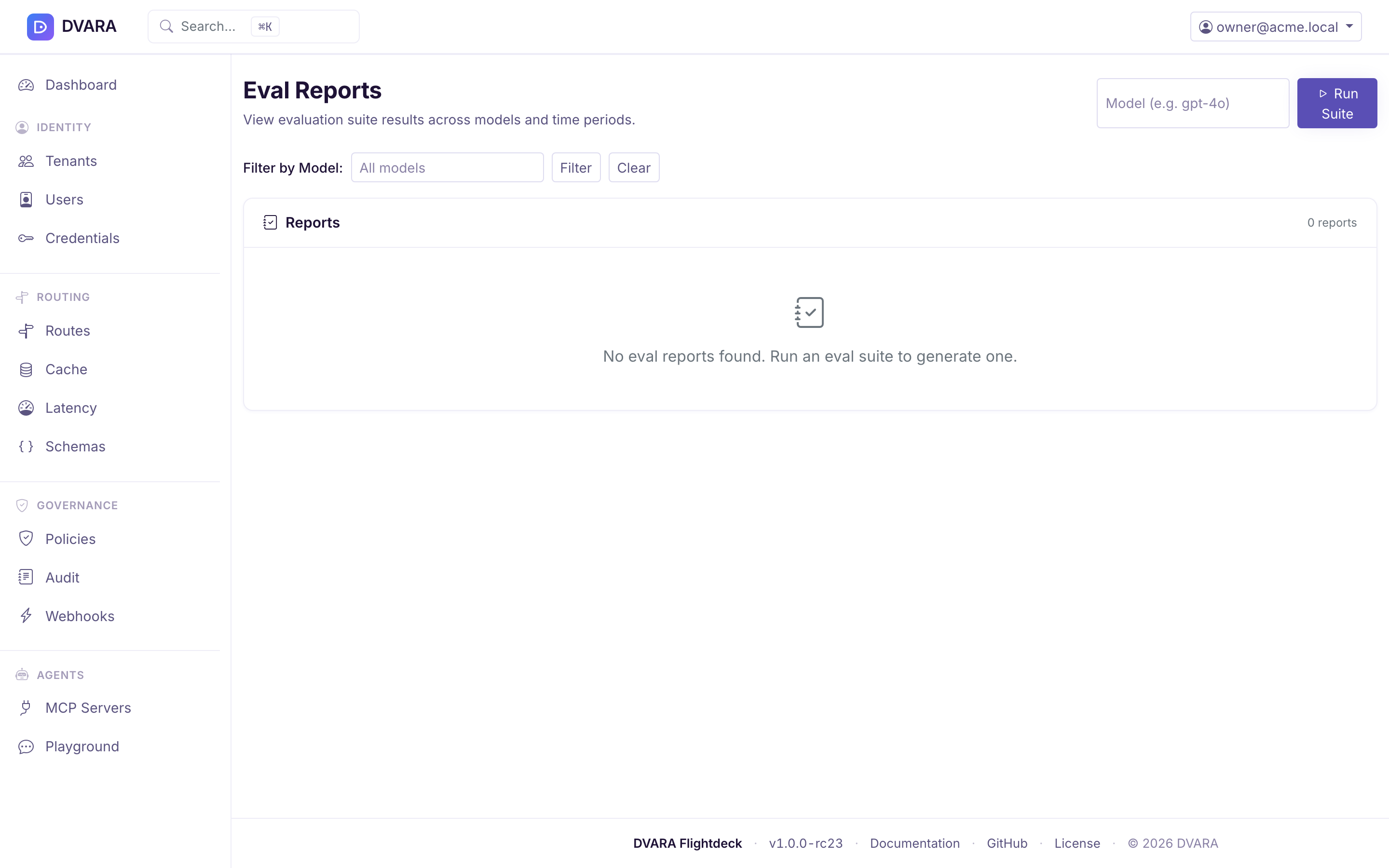
The eval runner fans out prompts in parallel, respects each model's context window, and aggregates scores into a single report. Reports and per-prompt results are persisted so you can compare runs across models and over time.
Find each prompt and evaluation task
| Task | Flightdeck page |
|---|---|
| Prompt templates — create, edit, status, preview, rollback | Prompts (/prompts) |
| Experiments — create, lifecycle, per-variant report | Experiments (/experiments) |
| Golden prompts — create, fingerprint check, drift history | Golden Prompts (/golden-prompts) |
| Eval prompts, single runs, suite runs and reports | Eval (/eval/prompts) |
A workspace manages its own templates and experiments from the same Prompts and Experiments navigation, scoped to the active workspace.
Every write emits an audit event, so prompt and evaluation changes have the same compliance trail as other Flightdeck actions: PROMPT_TEMPLATE_CREATED / _UPDATED / _STATUS_CHANGED / _ROLLED_BACK / _DELETED, PROMPT_EXPERIMENT_CREATED / _UPDATED / _STATUS_CHANGED / _RESET / _DELETED, GOLDEN_PROMPT_CREATED / _UPDATED / _DELETED / _FINGERPRINTED, EVAL_PROMPT_CREATED / _UPDATED / _DELETED / _RUN, and EVAL_SUITE_RUN.