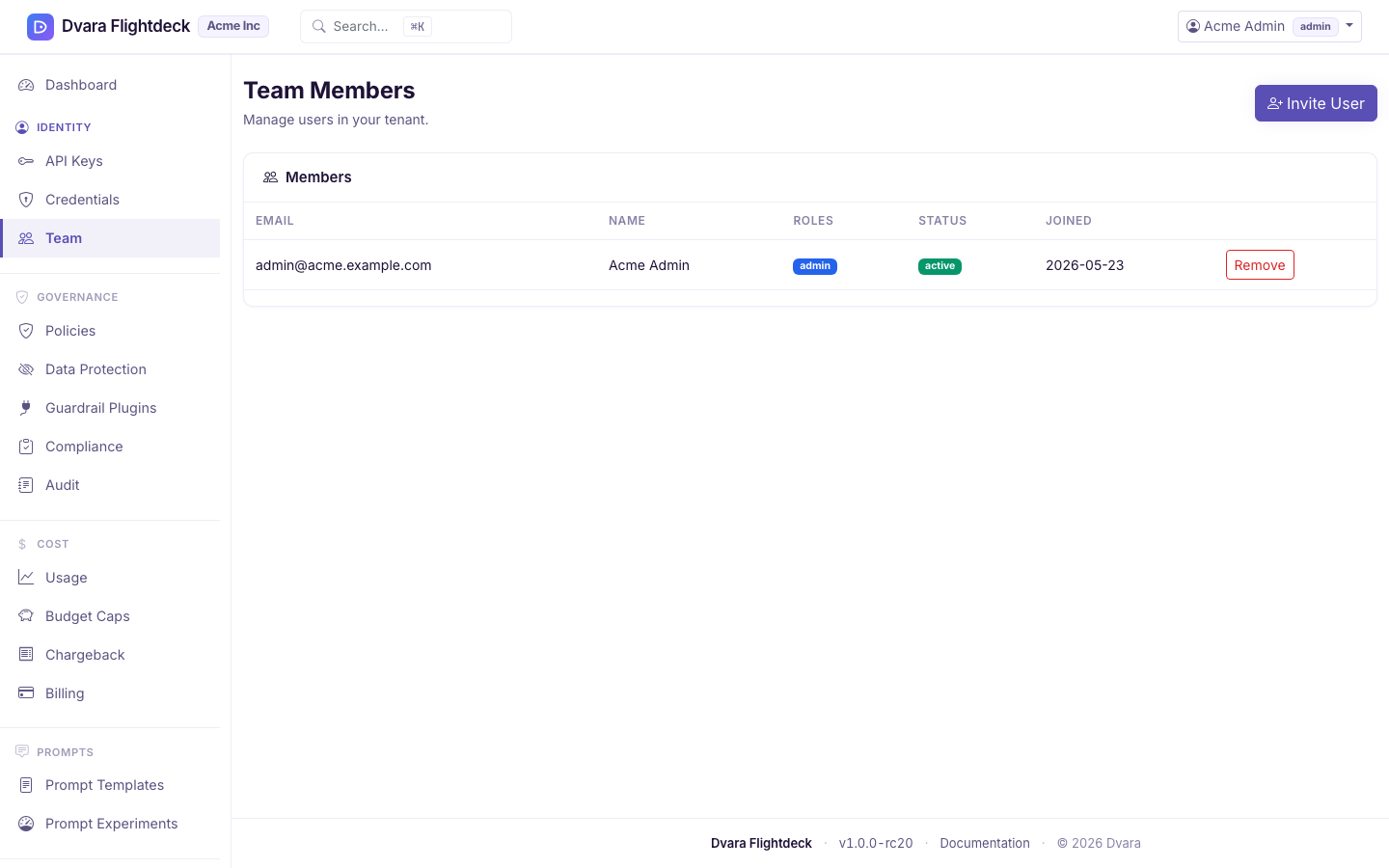
Invite teammates and manage access
Available with no license, in the Development posture. A license adds the MCP and A2A planes, production rights and support — not this feature.
Every action in your workspace is tied to a person — the audit trail records the actor's email, every policy promotion has someone's name on it, every credential rotation can be traced back to a teammate. This page is where that team is built.
Team management is admin-only. Developers and viewers will see a redirect to the portal home if they try to reach the team page. The gateway-connected indicator does not gate this page — invitations work even when the data plane is unreachable.
Invite a teammate
- Open Portal → Team → Invite member.
- Enter the teammate's email and pick a role (
admin,developer, orviewer— see Sign in to your workspace for what each role can do). - Submit.
The portal creates a user in your workspace in INVITED state and sends them an email with a one-time link of the form /register?token=<uuid>. The token is valid for 7 days.
You cannot invite a teammate with a platform role from the portal — only your three workspace roles are offered. That is by design: the people who run DVARA carry platform roles and live on the operator's surface, not your workspace.
What happens to the invitation
When the invitee opens the link they pick a password, the user transitions to ACTIVE, and they land on the portal at sign-in. Until then, the row in the team list shows INVITED.
If the link expires before they accept (7 days), invite them again — there is no self-service resend.
Change someone's role
The Portal team page covers list, invite, and remove. To change an existing teammate's role, remove them and invite them again with the new role — the in-place role edit is a Console action, not a Portal one.
Remove a teammate
Open the team list, click the teammate, click Remove. The user is removed from your workspace immediately and their personal access tokens are revoked.
A few rules:
- You cannot remove yourself. If you are the only
adminleft, invite anotheradminfirst. - A removed teammate's audit history stays — events carry the email of whoever acted at the time, and the audit trail is append-only.
- Removed users cannot sign back in to your workspace. DVARA treats every email as a global account identifier — one email maps to one workspace at a time — so there is no "they still belong to another customer's workspace" scenario to worry about. Once removed, the email is free for a different workspace to invite under the same address.
Closing the workspace
Closing a workspace is handled by your operator (the team that runs DVARA) — see Managing your account. Self-managed and managed-hosting installs are licensed annually; billing is handled with your operator, not from the portal.
What every action writes to the audit trail
| Action | Audit event |
|---|---|
Invite a teammate from /portal/team/invite | (not currently emitted from the portal team flow — the platform-side invite emits USER_INVITED) |
The portal team-invite path does not yet emit a dedicated audit event. If your compliance regime requires "every user-lifecycle action is audited," coordinate with your operator to track invitations through the platform-side USER_INVITED event, or watch the team list for the INVITED → ACTIVE transition.