Workspaces & Users
Not included in DVARA Open Source.
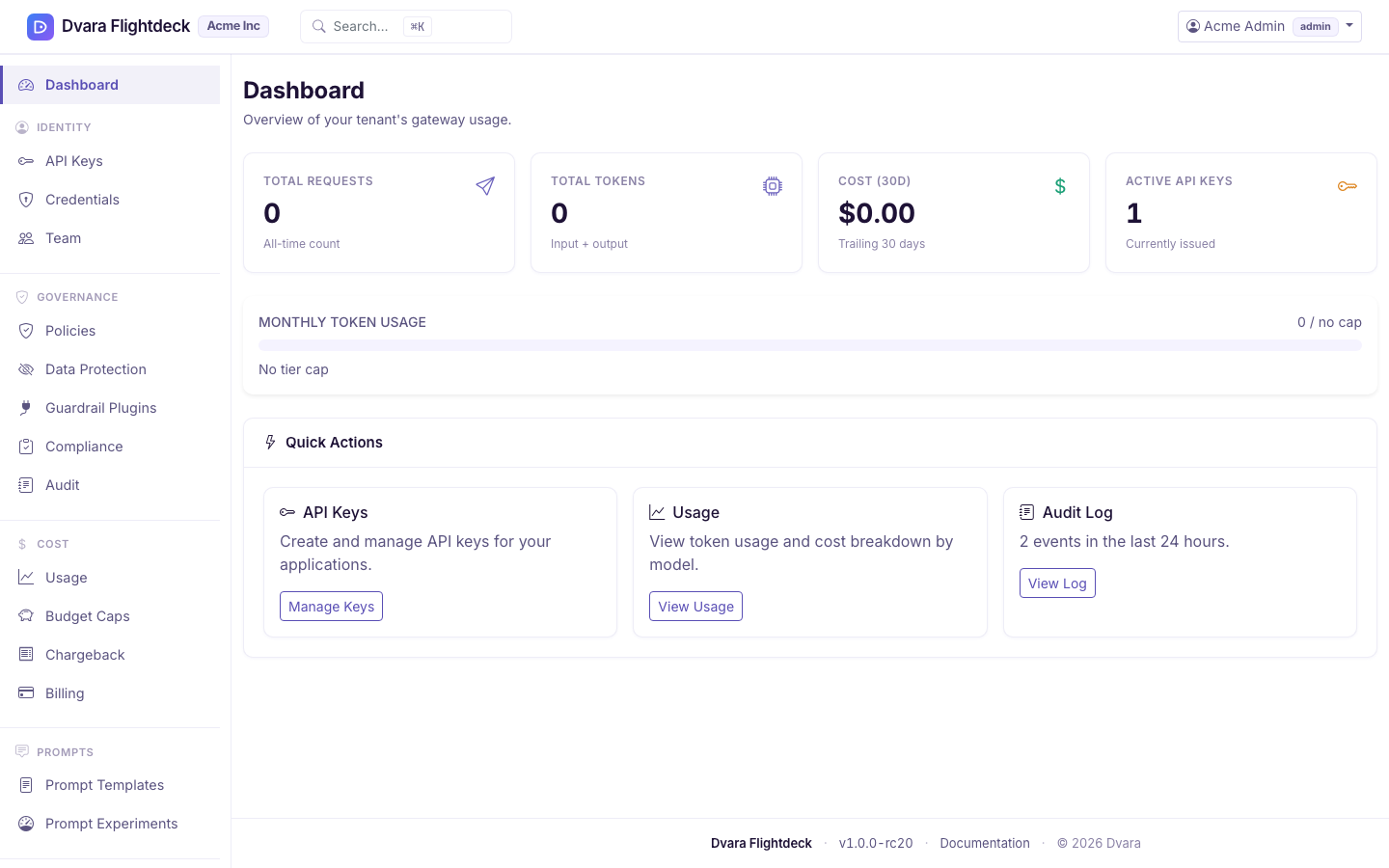
The DVARA Flightdeck combines two closely related surfaces: workspaces (the logical isolation unit for data, keys, and billing) and users (human operators with RBAC roles). Both live under the sidebar's Access section.
Open the guide for your current task
Flightdeck's Docs link can open this page from several workspace and access screens. Continue here for workspace or user administration, or use the guide that matches the task in front of you:
| Task | Guide |
|---|---|
| Create or edit a workspace; manage platform users | Continue with Workspace management and User and role management below |
| Create API keys or manage workspace provider credentials | Manage API keys and provider credentials |
| Schedule, cancel, or understand workspace deletion | Delete and recover a workspace |
| Configure PII and guardrails | Configure data protection |
| Review usage, audit evidence, or compliance reports | Review usage, audit, and compliance |
| Control the MCP extensions a workspace can request | Control MCP extensions |
Workspace management
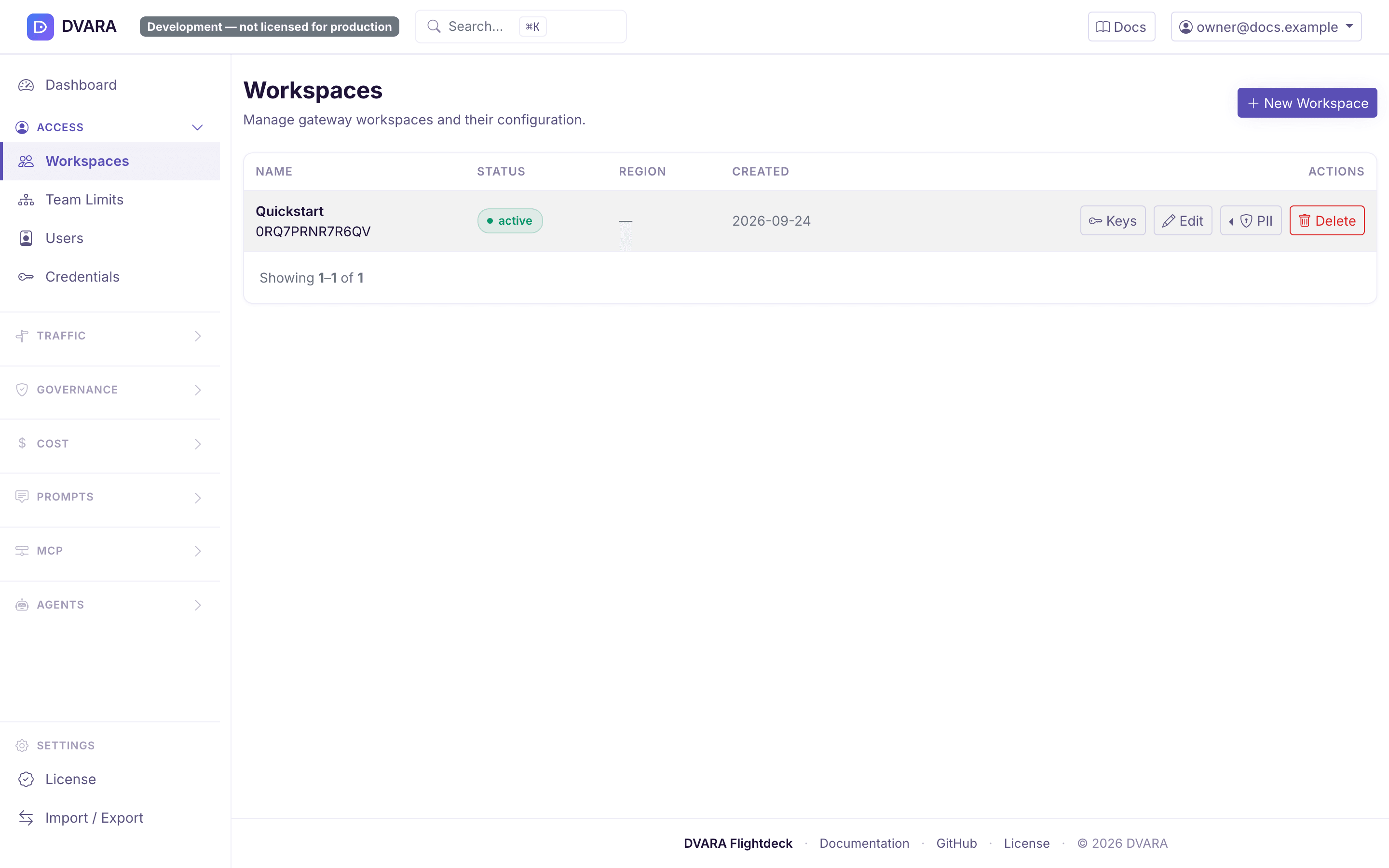
Open Access → Workspaces in the sidebar.
Workspace list
Displays every workspace with name, status badge (active / suspended), region, and creation date. Auto-refreshes every 10 seconds.
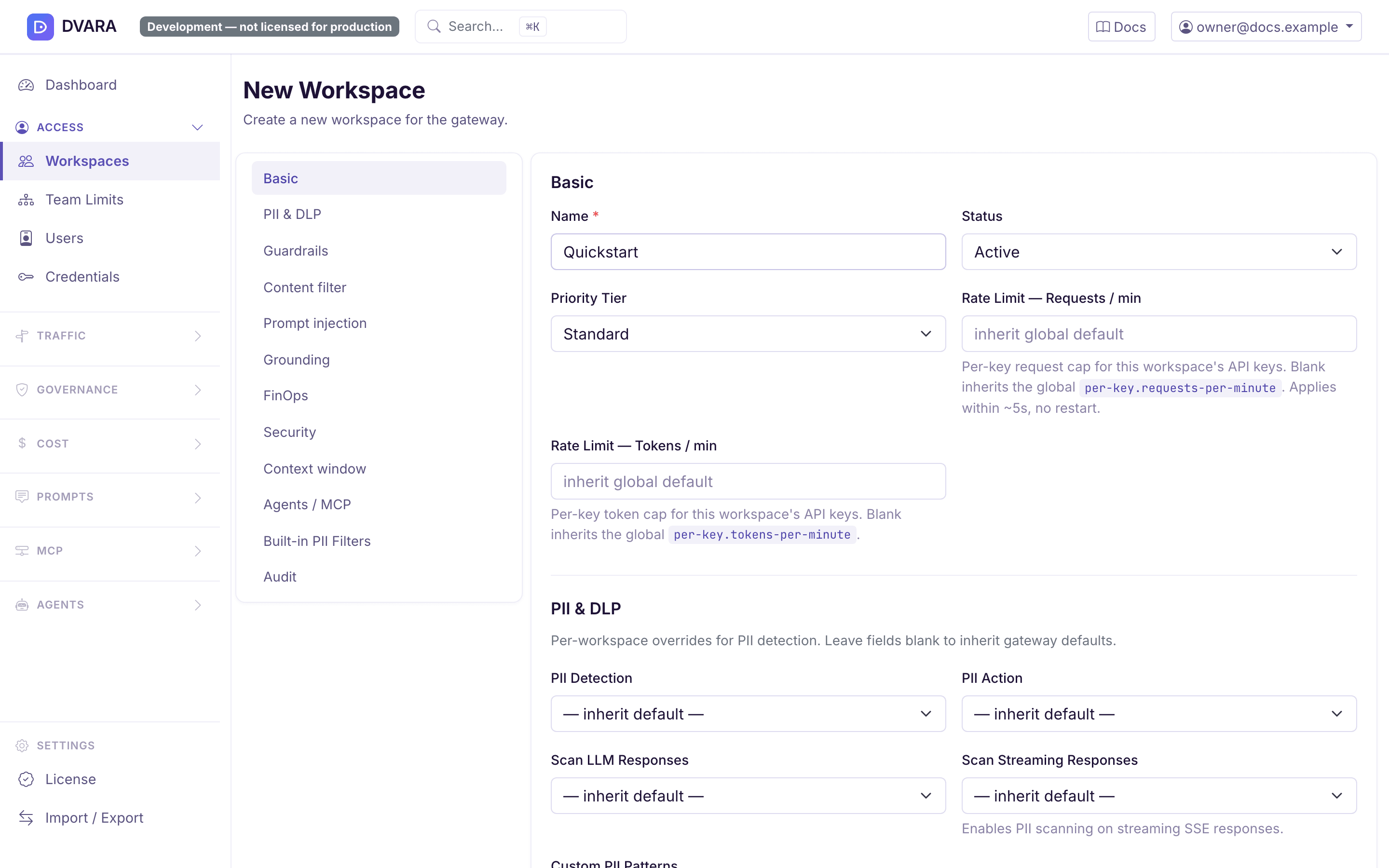
Create / edit workspace
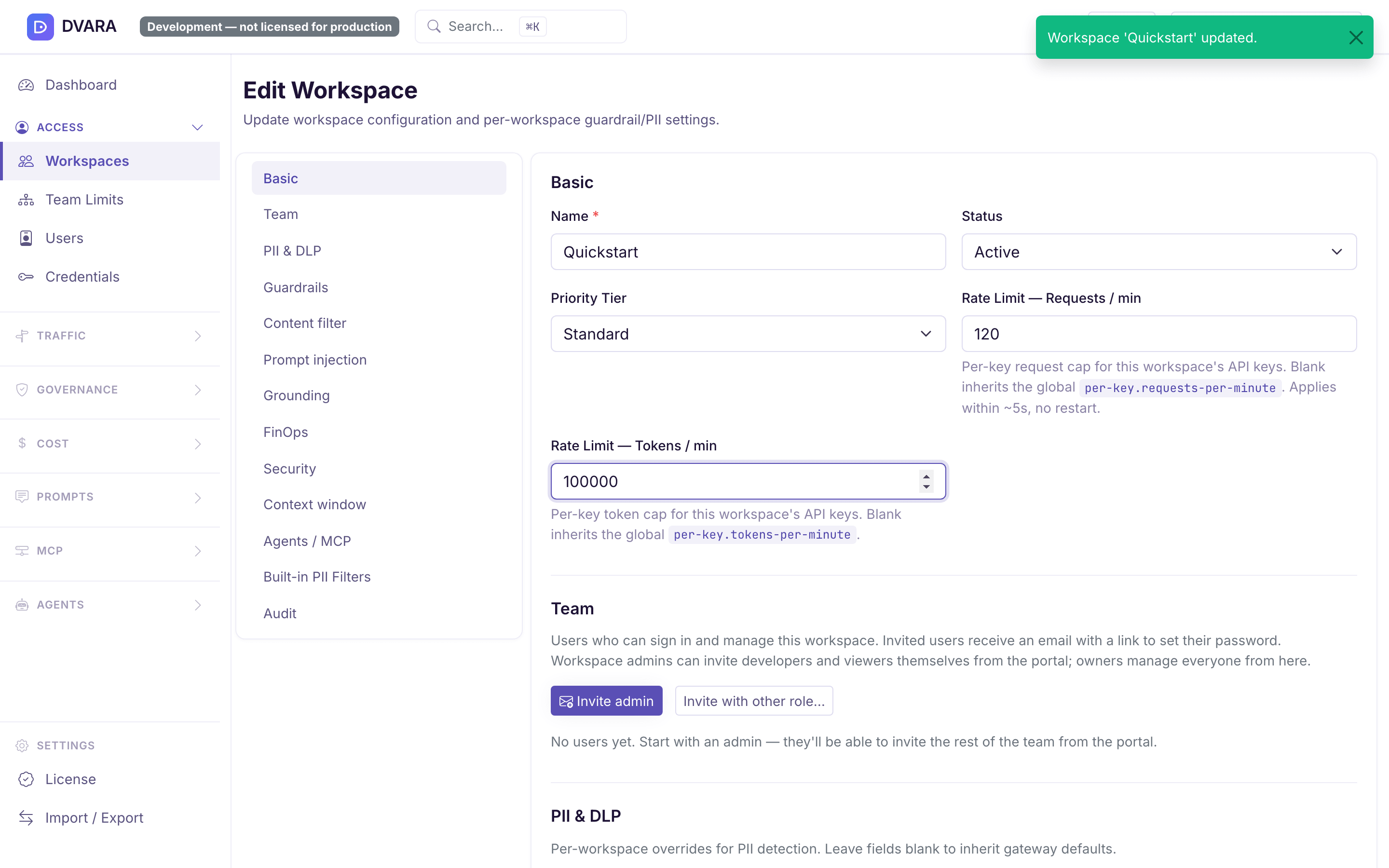
Click New Workspace to create a workspace. Click Edit on any row to update one. A section menu keeps the long form navigable: from 1.8.5 the create flow has 15 sections, and edit adds Team as a sixteenth section.
Use Basic for identity, status, priority, and request limits. The remaining sections group data protection, guardrails, content filtering, prompt-injection checks, grounding, cost controls, security, context limits, agent and MCP controls, MCP extensions, A2A delegation, size limits, built-in PII filters, and audit settings. Blank override fields inherit the platform default.
From 1.8.4 the MCP extensions section sets which MCP extensions the
workspace's clients may use. Enter one entry per line or separate entries with
commas: vendor/name, vendor/* or vendor/name@version. Leave it blank to use
the gateway default, which allows nothing, or enter none to allow nothing
whatever the default. A malformed entry is refused with the form. DVARA serves
no extension yet, so today every extension a client asks for is refused and
recorded as MCP_EXTENSION_DENIED. See
Control which MCP extensions a client may use.
From 1.8.5 the Size limits section sets how many bytes the Gateway accepts on the MCP and A2A planes for this workspace:
| Field | Key | Gateway default |
|---|---|---|
| MCP answer limit | mcp.response-limits.max-body-bytes | 4 MiB |
| MCP streamed answer limit | mcp.response-limits.max-stream-bytes | 16 MiB |
| MCP tool-call arguments limit | mcp.limits.max-arguments-bytes | 1 MiB |
| A2A answer limit | a2a.response-limits.max-body-bytes | 16 MiB |
| A2A streamed answer limit | a2a.response-limits.max-stream-bytes | 64 MiB |
Each value is a positive whole number of bytes, lower or higher than the default. Leave a field blank to use the Gateway default. A value that is not a positive whole number is refused, and the message names the key. The change reaches Gateways with the next configuration bundle, with no restart. The Workspace-scoped Flightdeck pages show these values to the workspace admin as read-only. See how large a request or response can be.
The built-in PII filter section lists the 30 filters supported by the optional Phileas scanner. Saving the selection does not enable that scanner. From 1.8.1 the Gateway image carries Phileas, but an operator must still enable the embedded PII scanner before the selected filters run.
Form values are validated server-side: invalid actions, malformed custom PII patterns, out-of-range thresholds, non-positive token caps, or unknown built-in filter names are rejected with a field-named error and no save. Blank fields clear the corresponding metadata key (revert to inherit default).
Updates are non-destructive: metadata keys not exposed in the form (e.g. approval.required-tools, agentic.loop-detection.*, cost.downgrade-rules) are preserved across edits. The same metadata can also be set through Flightdeck GitOps export/import for IaC pipelines.
From 1.8.5 a save writes only the fields and keys the form changed. Before, the the platform-wide form wrote the whole workspace back, so a simultaneous workspace-scoped change, such as an A2A delegation setting, was silently put back to its old value.
The form also remembers the version of the workspace it was opened on. If someone saved the workspace since, a save that would change anything is refused. Nothing is written. The message names the fields that differ, and the form shows the current values, so you can apply your change again on top of them. A GitOps import still replaces a workspace as a whole.
Every save emits WORKSPACE_CREATED on create. A name or status change emits
WORKSPACE_UPDATED with old_name, name, old_status, status, and the
actor. A metadata change emits WORKSPACE_METADATA_UPDATED with a
{key, old, new} diff. Deletes emit WORKSPACE_DELETED.
Delete a workspace
Delete removes the workspace and its users, keys, policies, budgets, webhooks, credentials, usage and cost history, MCP and A2A registrations, and PII tokens. It keeps the tamper-evident audit chains and MCP tool-call evidence. Export any configuration or history you need before confirming the deletion.
This platform owner action is immediate. A workspace admin instead uses a
scheduled, recoverable workflow from the workspace danger zone; see Delete
and recover a workspace.
Managing the same metadata as code
For Terraform, CI/CD and other programmatic tooling, the same metadata is editable through the
Flightdeck GitOps export/import — export the config, edit the workspace's metadata object,
and import it back.
The import reconciles by id, so a workspace present in the document is updated in place.
Narrow limits for a team or account
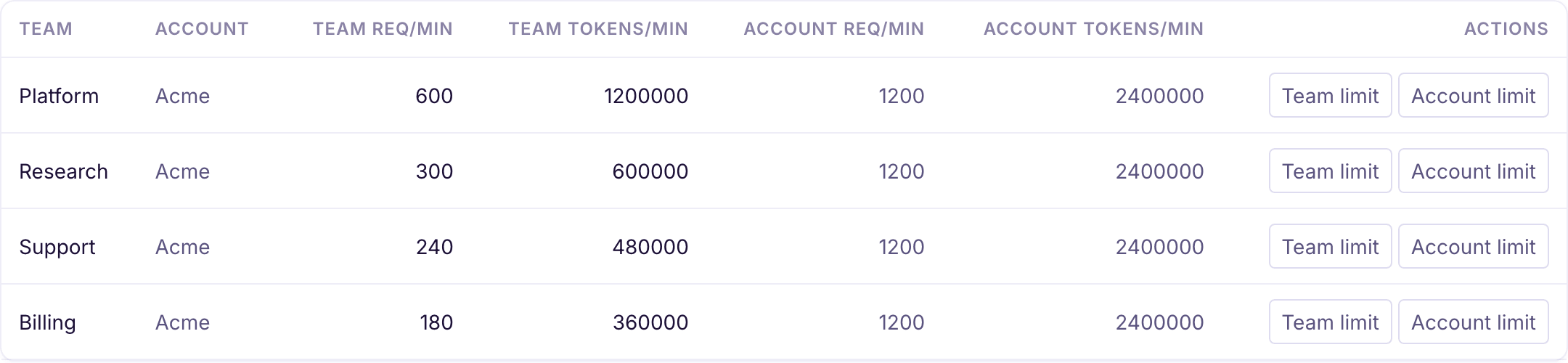
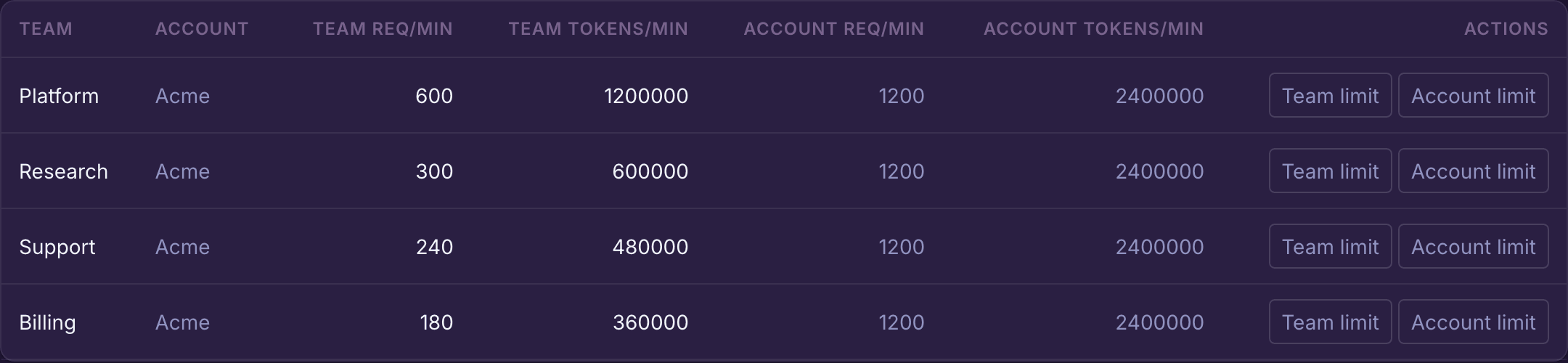
Open Identity → Team Rate Limits to apply a request or token ceiling above a workspace. The page lists every team beside its account and shows the limits stored at both levels.
Choose Team limit or Account limit, enter one or both values, and select Save. A blank field inherits for that dimension. Leaving both fields blank clears the stored limit at that level. For each dimension, the smallest positive value across Account → Team → Workspace wins, so a higher-level value can narrow a workspace but cannot raise it.
Saving records SCOPED_RATE_LIMIT_UPDATED; clearing both fields records SCOPED_RATE_LIMIT_CLEARED. Do not enter zero until the 1.8 Flightdeck form and hierarchy resolver use the same zero-value contract. Use blank fields to inherit or clear instead.
See Control request and token throughput for global defaults, backend behavior, and metrics.
API key management
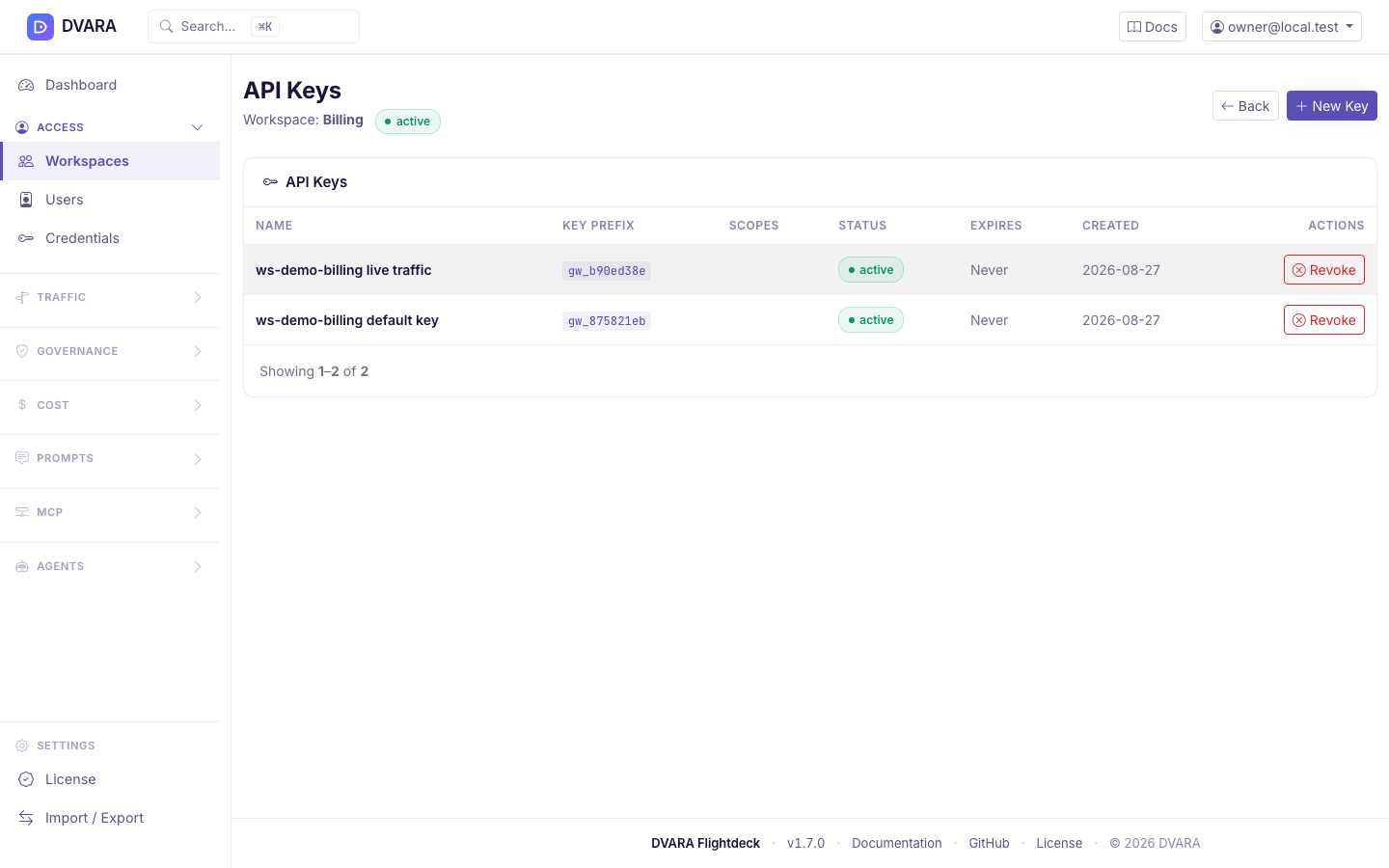
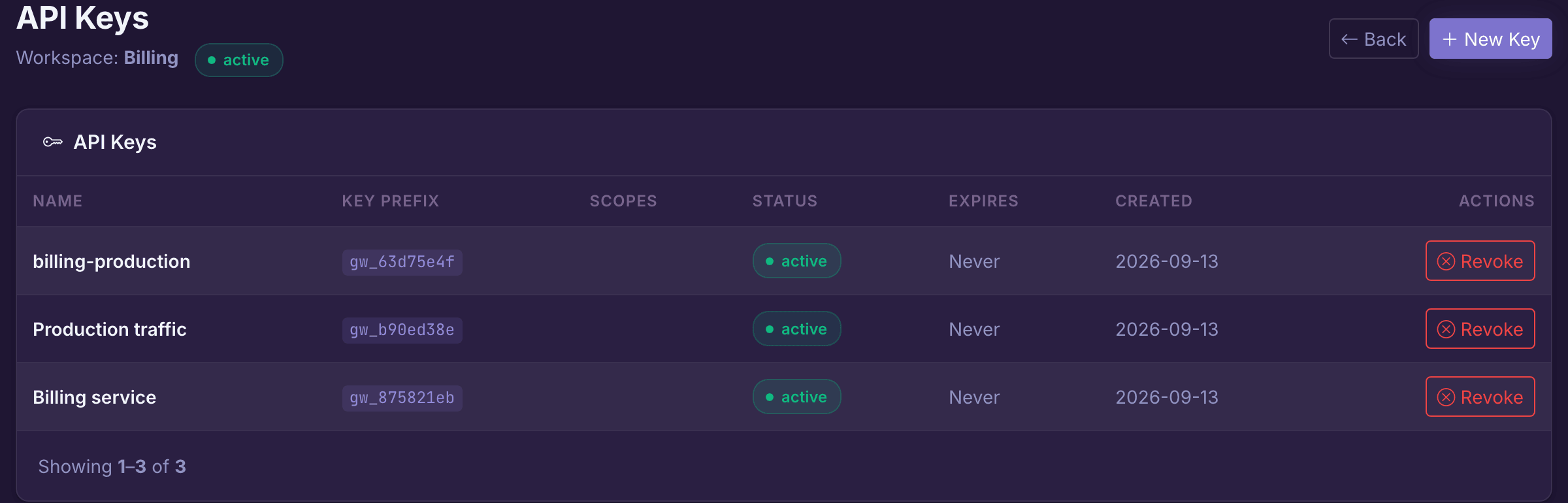
Click Keys on a workspace row to manage that workspace's API keys.
- Key list — name, masked key prefix (
gw_xxx…), scopes, status, expiry, and creation date. Auto-refreshes every 10 seconds. - Create key — click New Key to open the modal. Pick a name, an optional expiry, and any of the scopes. From 1.8.1 the form lists all eight: the four LLM scopes
completions:write,models:read,embeddings:writeandbatches:write, and the plane scopesmcp:read,mcp:call,a2a:readanda2a:send. Leaving every box unchecked creates an unrestricted key. Before 1.8.1 the form offered the four LLM scopes only, so a key that needed to reach MCP or A2A could not be made here at all — it had to be left unscoped, or written through the configuration file. - Acts as agent — when the workspace has A2A agents, the create modal can bind the key to one agent. The Gateway then treats that agent as the caller of the key's A2A hops. From 1.8.5 such a key can also be marked May start chains, on create and on the key's row. Where agents must send their delegation chain (chains required, or the
hardenedpreset), a hop with no chain from this key starts a new chain for its agent's own work. Leave it off for the key the agent uses to call on behalf of others. From 1.9.0 such a key shows a Root key badge, and the workspace's A2A delegation section shows how many root keys it has, with the tick box Hardened: root keys only start chains. See the A2A delegation guard. - Revoke key — click Revoke on any active key. Requires confirmation. Revocation is immediate and irreversible; the key status flips to
REVOKEDand the cached entry is evicted on every gateway instance, so subsequent requests fail fast across the whole fleet.
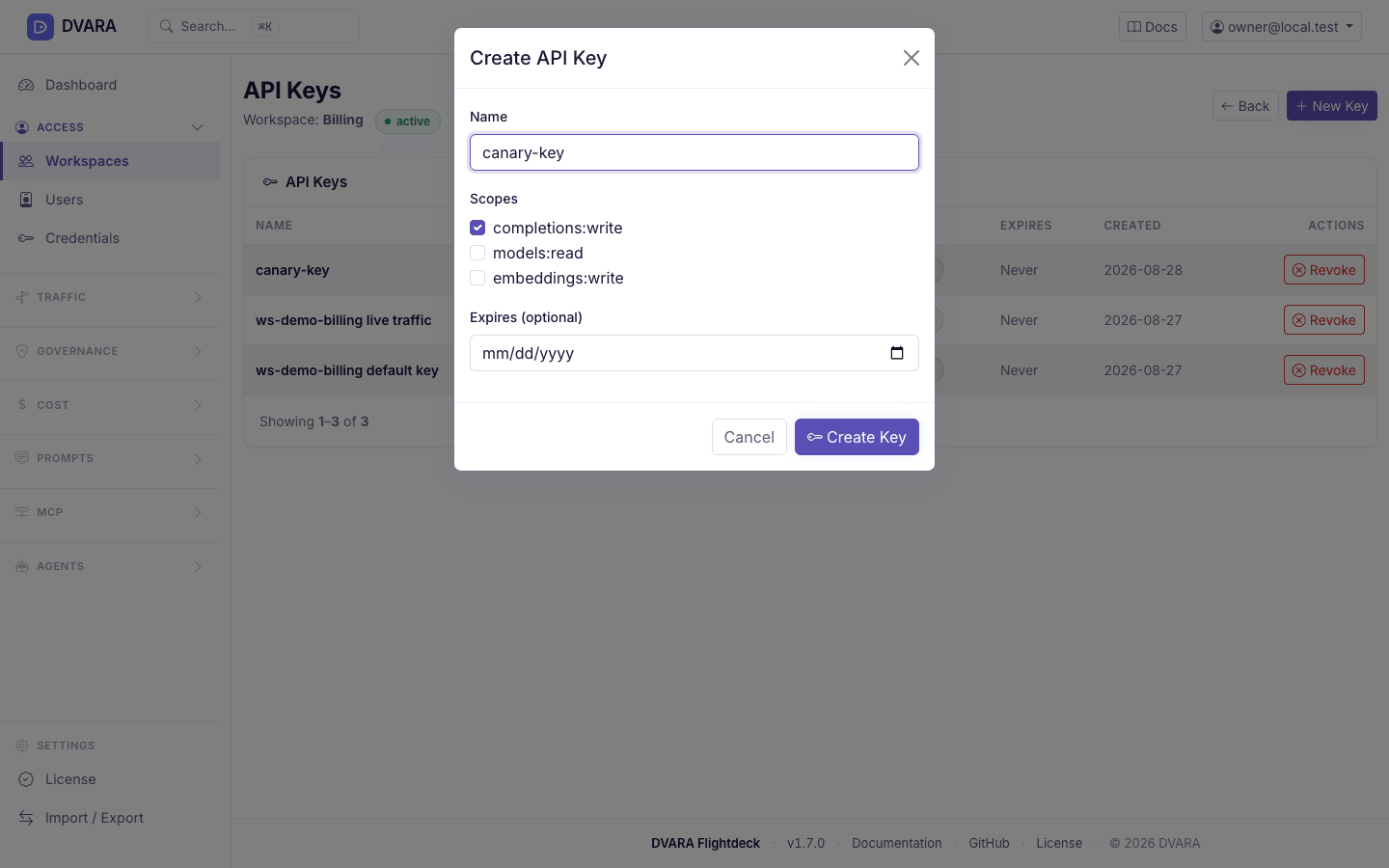
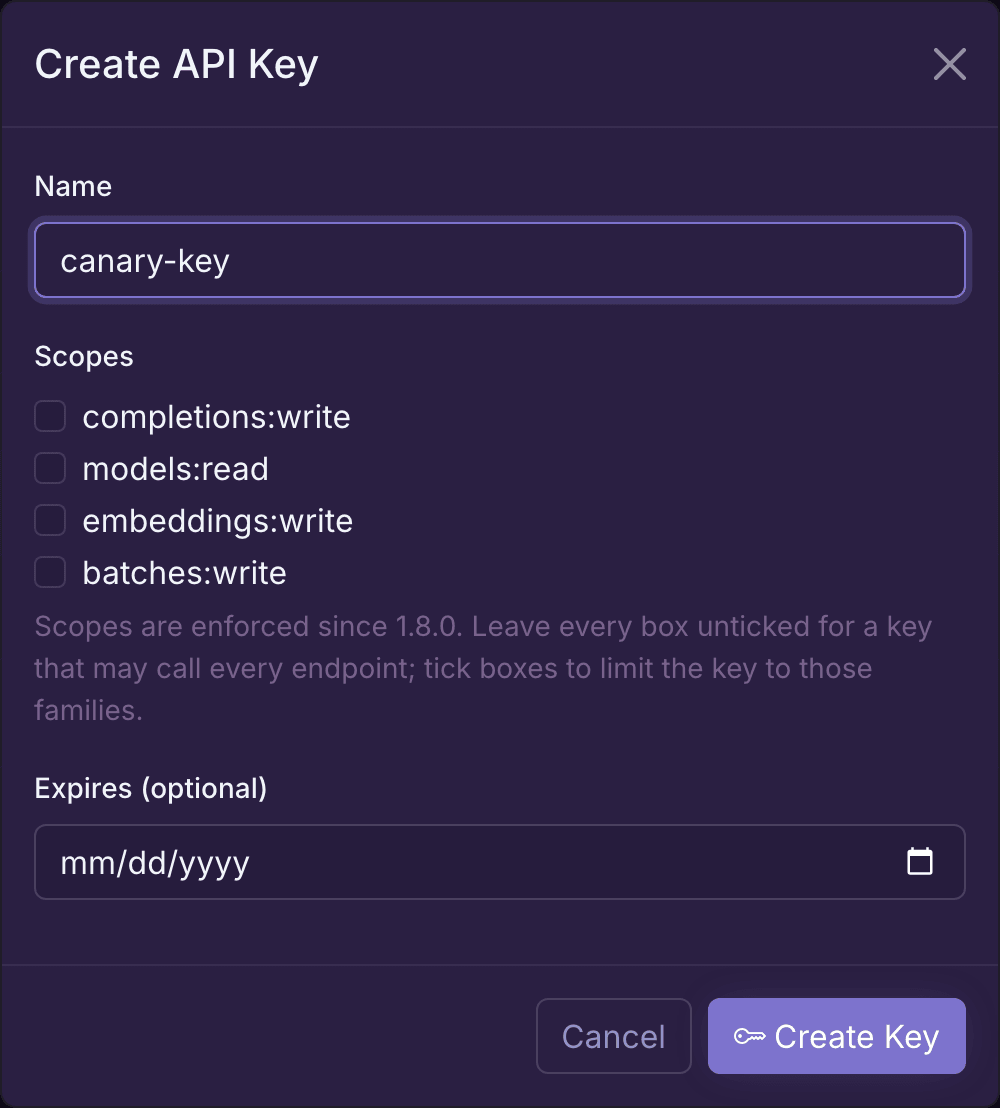
Use the four platform scopes to narrow LLM workloads. If a workload must also use MCP or A2A in 1.8, do not select an LLM-only scope and assume it covers the other plane. See Authenticate gateway calls for the exact operation map and current UI boundary.
User & role management
Open Access → Users in the sidebar (owner only).
User list
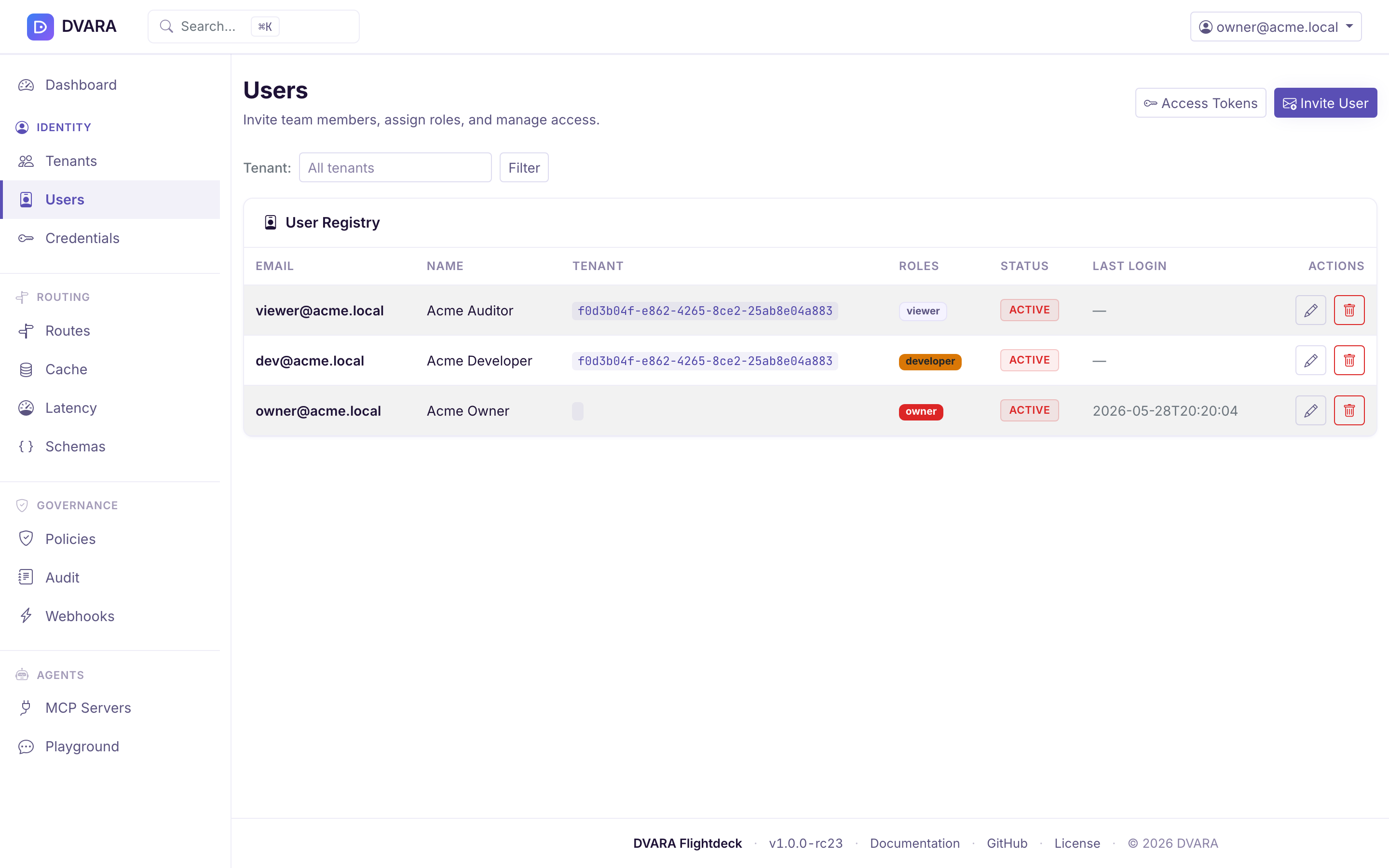
Lists every user with email, name, workspace, roles (as badges), status (ACTIVE / SUSPENDED / DEACTIVATED), last login, and creation date. Auto-refreshes every 10 seconds. Use the Workspace dropdown filter to narrow the list.
Create user
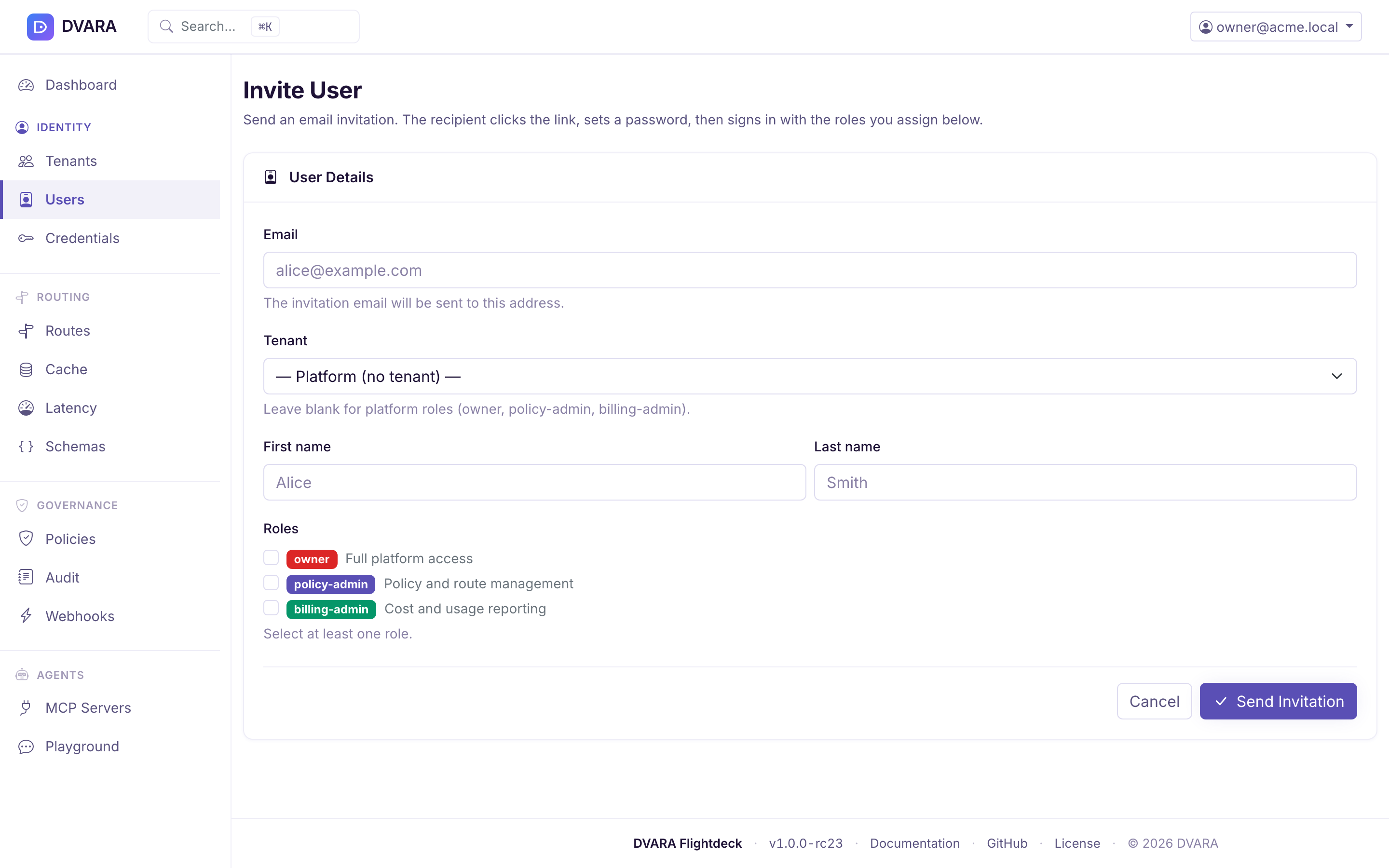
Click Invite User to open the invite form. In built-in-auth mode this sends an email with a password-setup link; in OIDC / SAML mode it creates a user record the IdP will bind to on first login.
- Email — unique per workspace; where the invitation is delivered
- Name — display name (optional)
- Workspace ID — the workspace this user belongs to. Leave blank for platform roles.
- Roles — checkbox list for any mix of built-in roles
The six built-in roles and their scopes are documented in Setup & Login → RBAC roles. Platform roles (owner, policy-admin, billing-admin) operate across all workspaces; workspace roles (admin, developer, viewer) are scoped to a single workspace. Mixing platform and workspace roles on one user is disallowed.
For the full invitation walkthrough — create the workspace, invite an admin, accept the invitation, and hand over workspace management — see Onboarding a Workspace.
Edit user
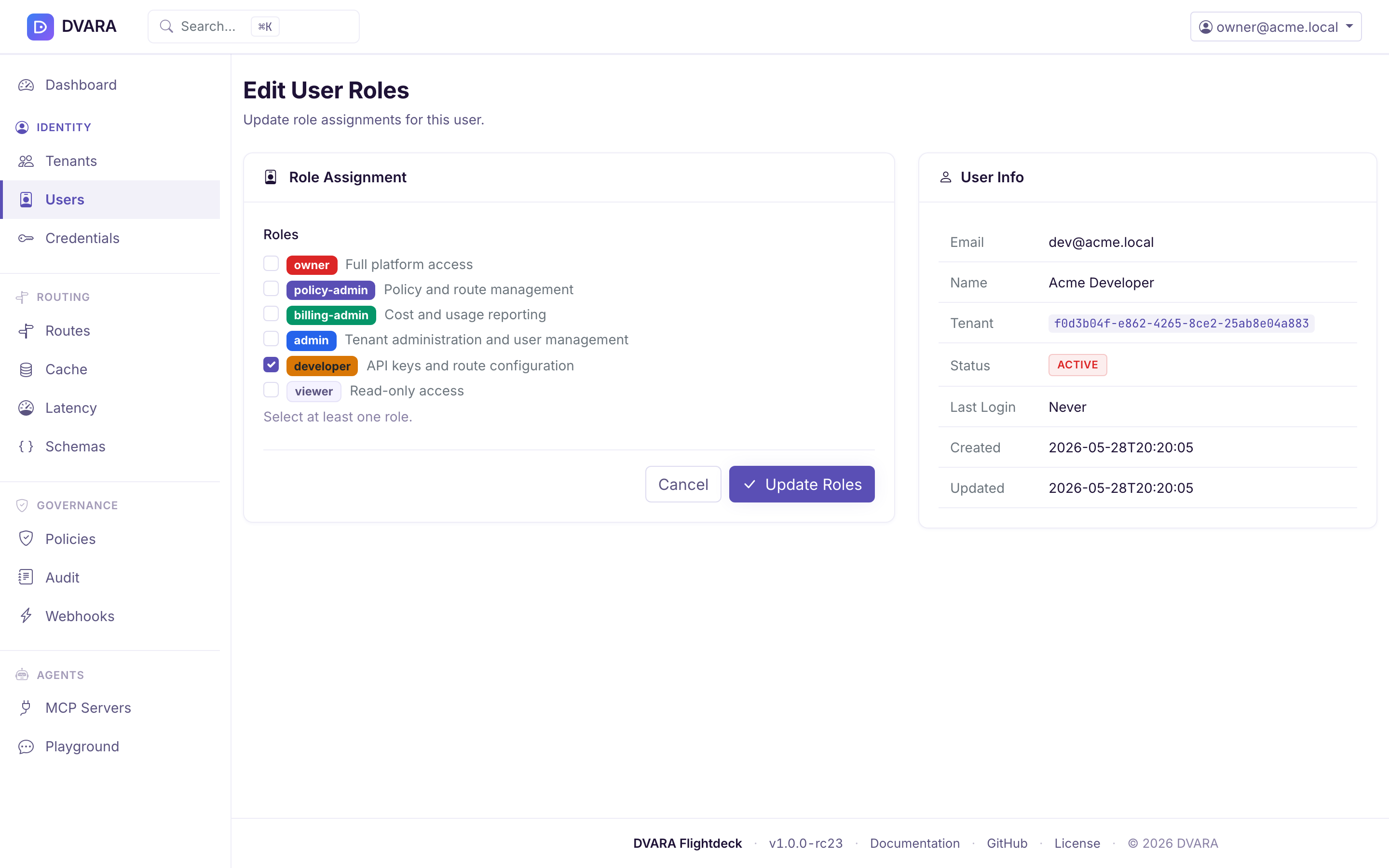
Click Edit on any row to update the user's roles. Email, name, and workspace
are displayed as read-only. A changed role set writes USER_ROLES_CHANGED with
the old roles, new roles, and actor, then ends the user's existing sessions. The
new roles apply when the user signs in again. DVARA refuses a change that would
remove the owner role from the last owner, including a self-edit.
Delete user
Click Delete to remove a user. Requires confirmation. Any API keys owned by the deleted user's workspace remain valid until explicitly revoked — user deletion and key revocation are separate operations.
Flightdeck refuses three deletes and explains why on the Users page:
| You try to delete | Message |
|---|---|
| Your own account | "You cannot delete your own account. Ask another owner to remove it." |
The last account with the owner role | "This is the last account with the owner role. Grant owner to someone else first — an install with no owner cannot be administered." |
| A user who no longer exists | "User not found." |
From 1.8.4 the reason shows on the Users page, inline and as a toast. Before 1.8.4 the delete was refused but the page gave no reason.
Manage a workspace without platform-wide access
Workspace-role users (admin, developer, viewer) land on workspace-scoped pages after sign-in. Flightdeck limits those pages to the active workspace and provides:
- API key management (create / revoke, role-gated)
- BYOK provider credentials (AES-256-GCM encrypted at rest)
- Token usage and cost visualizations
- Workspace-scoped audit logs
- Team management (workspace
adminonly) — see Onboarding a Workspace for the end-to-end invitation flow - Guardrail plugin management —
adminanddevelopercan manage workspace-scoped plugins;viewerhas read-only access. Platform-global plugins are not shown but still apply to the workspace's traffic.
Role capability matrix within Flightdeck:
| Capability | owner | admin | developer | viewer |
|---|---|---|---|---|
| View dashboard / usage / audit | All workspaces | Own workspace | Own workspace | Own workspace |
| Create API keys | Any workspace | Own workspace | Own workspace | No |
| Revoke API keys | Any workspace | Own workspace | No | No |
| Manage team members | All workspaces | Own workspace | No | No |
| Manage routes / policies | Yes | No | No | No |
| Manage own (TENANT) budget caps | Yes | Create / edit (admin + developer); delete (admin) | Create / edit | Read-only |
| Manage model pricing | Yes | No | No | No |