Decide which models apps can use
Define model restrictions in YAML policies and activate the rules you want enforced. Open Source evaluates Active policies loaded from files; Enterprise adds policy management in Flightdeck.
Explore policy controls →The DVARA LLM Gateway connects your apps to model providers through one OpenAI-compatible API. As part of DVARA’s AI governance platform, it gives you a place to apply policies, protect sensitive data, and track usage.


Give teams a shared place to manage model calls, without rebuilding the same controls in every app.
Define model restrictions in YAML policies and activate the rules you want enforced. Open Source evaluates Active policies loaded from files; Enterprise adds policy management in Flightdeck.
Explore policy controls →PII detection is on by default with the LOG action, which leaves content unchanged. Choose REDACT to remove detected values or BLOCK to reject a request containing them. Configure audit storage to retain detection events.
Review PII settings →In Enterprise, configured hard budgets reject new supported model calls once recorded spend reaches the limit. Accurate spend needs usage and model pricing. In-flight calls can still add cost; this is not a guaranteed final bill ceiling.
Explore cost controls →Use supported OpenAI SDK operations with DVARA as the base URL. Configure your providers and routes; check model and endpoint support before moving an app.
OpenAIAnthropicGemini Amazon Bedrock
 Azure OpenAI
 Mistral
 Cohere
 Groq
Groq Ollama
 Qwen
Qwen DeepSeek
 Moonshot
 ChatGLM
 Grok
GrokStreaming, tools, and structured outputs vary by provider. Check supported providers and the API reference.
Resilience and fallback are enabled by default. DVARA retries eligible failures and can try another registered provider that supports the same model request. It does not automatically translate a GPT model name into a Claude model.
Fallback candidates come from registered providers, not a route’s named fallback. If none succeeds, the request fails. Streaming fallback only covers opening the upstream stream, not errors while reading it.
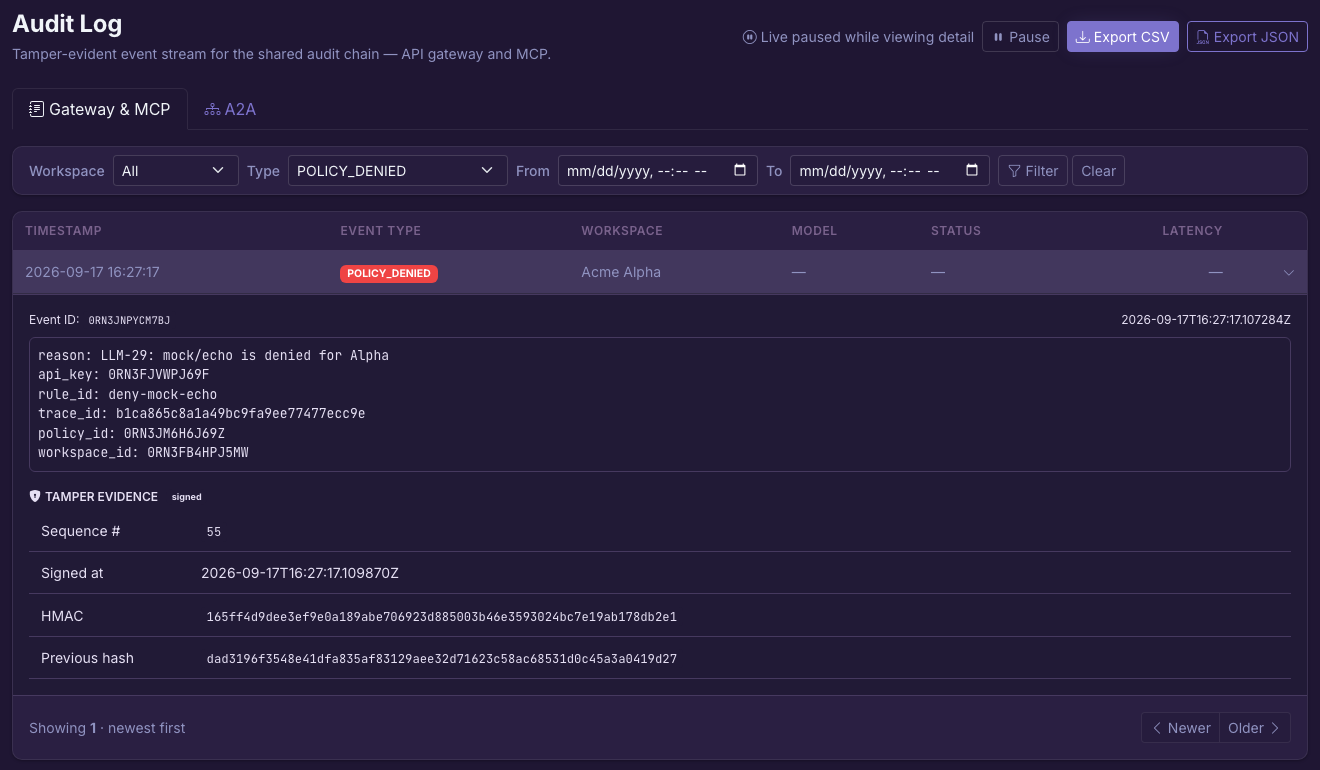
Read the fallback rules →See recorded workspace usage and cost by model. With audit storage configured, use audit views to investigate recorded events and policy decisions. Cost reporting depends on available usage and model pricing.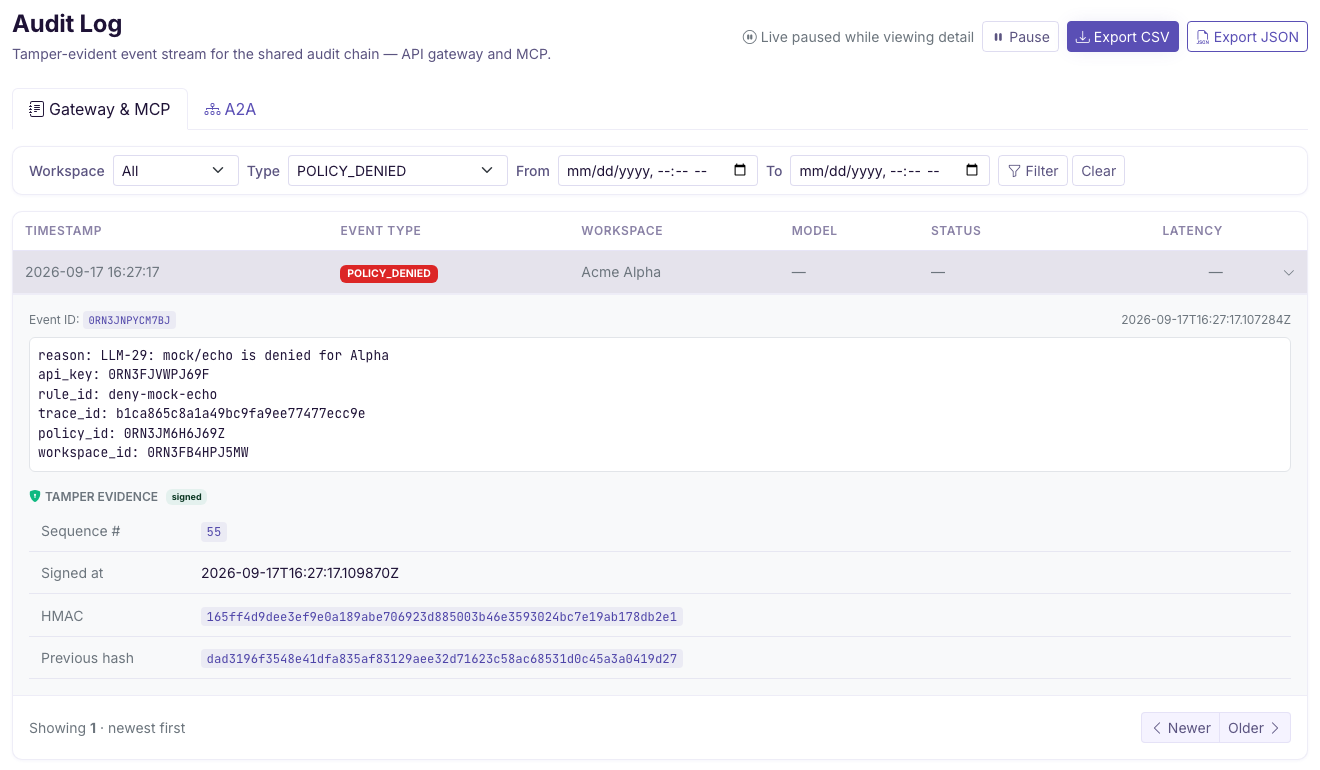
A standalone LLM Gateway with file-based configuration, core policies, PII controls, and routing. Local audit is off until you configure its file path and signing secret. Run it in your own environment.
Start with Open Source →Add Flightdeck, central configuration, budgets, and fleet operations. Manage model traffic alongside the platform’s MCP and A2A Gateways.
Explore deployment options →See plans and production terms · Compare capability availability
For tool and agent calls, explore the DVARA MCP Gateway and DVARA A2A Gateway.
Yes, for supported operations. Change the base URL to DVARA and use a DVARA API key. Check the API reference for your provider’s model names, request fields, and streaming support.
Yes. Connect models served by Ollama alongside supported hosted providers. Configure each connection and route; available features depend on the model and provider.
No. Self-hosting determines where DVARA runs. Calls to a hosted model still leave your environment to reach that provider; use a locally hosted model when requests must stay local.
No. PII detection is on, but the default LOG action leaves content unchanged. Set REDACT to remove detected values or BLOCK to reject requests containing them. Audit retention needs configured storage; response and streaming controls have separate settings.
Not with the current built-in configuration. Retry is enabled by default for eligible failures, but fallback does not map one provider’s model to another. Do not rely on automatic cross-provider failover.
Connect a model, apply a policy, and check the result.
Want to talk it through? Bring your use case to a demo.