Before the model call
A qualifying request detection with an effective BLOCK action stops the request before it reaches the provider.
DVARA’s AI governance platform checks model traffic for configured injection and content risks. Start by observing detections, then block the ones your team has tested.
Choose the action to see the difference. This is an illustration, not a live security test: one request-side pattern match, above the threshold, with no category override or other rejection.
In Flightdeck, choose whether a detection should be recorded or should stop traffic. This demo workspace has BLOCK saved; it is not the default.FlightdeckResearch workspace · Demo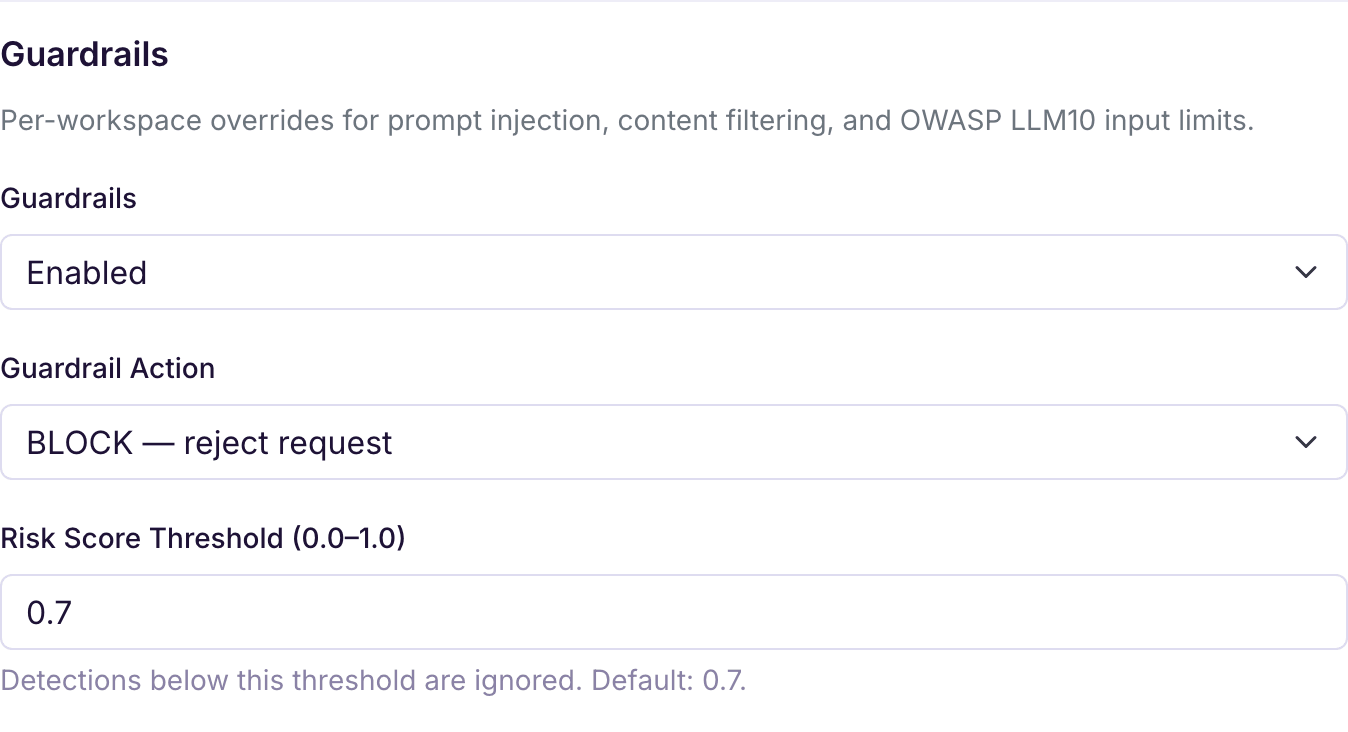
Keep the risk threshold and category overrides in view when testing. A category override can change the general action; when multiple categories match, the most restrictive applicable action wins.
Read the configuration and test examples →The demo request above returned HTTP 403 with a guardrail_blocked error. Flightdeck shows the resulting GUARDRAIL_BLOCKED event against the Research workspace.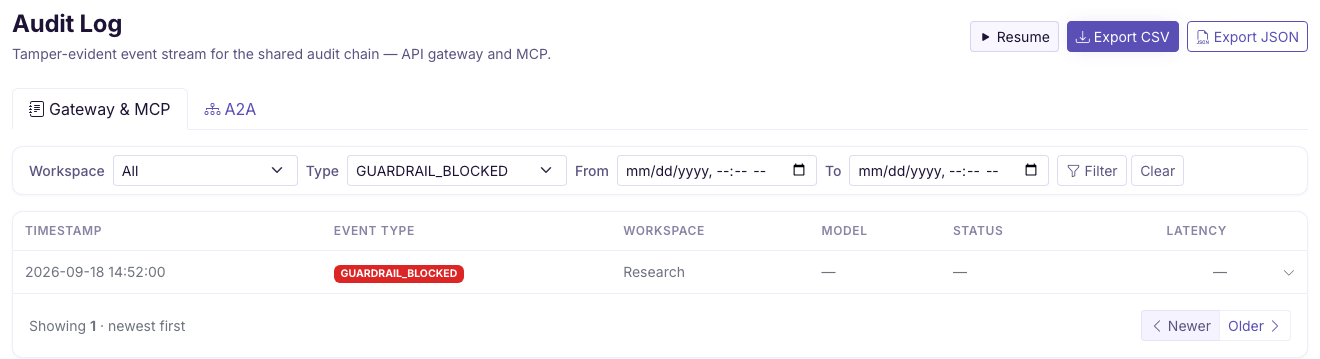
Persisted audit details depend on your deployment. Signing makes recorded events tamper-evident, not a guarantee that every event was recorded. Understand the evidence →
Screens exclude product versions and account details. Colors adapt to the website theme; the underlying demo records are unchanged.
A qualifying request detection with an effective BLOCK action stops the request before it reaches the provider.
When response scanning is enabled—on by default—a qualifying BLOCK detection rejects the response. The provider has already processed the request.
When streaming scanning is enabled—on by default—BLOCK holds generated content until checks pass. LOG and FLAG do not withhold content by themselves. Other enabled controls can require buffering too.
A held stream does not deliver tokens as they are generated. Streaming uses its resolved guardrail action; do not assume every non-streaming category or classifier override applies identically.
Read streaming behavior and limits →Configure built-in injection and content-pattern checks, request limits, and response inspection through files. LOG, FLAG, and BLOCK are available without Flightdeck.
Set up core guardrails →Manage workspace settings and recorded evidence in Flightdeck. Add optional classifier, semantic, and HTTP-plugin checks when their required models or services are configured. ML and semantic scanning are off by default.
Configure additional detectors →For HTTP plugins, the configured failure mode defaults to OPEN: a transport failure does not reject the request on that plugin’s behalf. CLOSED rejects on that failure. Malformed successful responses are skipped even in CLOSED mode; test this boundary before depending on a plugin.
Keep separate controls separate: PII handling protects identified data, while Policy-as-Code governs configured access rules. See capability availability and Pricing for deployment and production terms.
No. Guardrails are enabled by default, but the general action is LOG and the risk threshold is 0.7. Workspace and category settings can change that behavior. When every qualifying detection comes from an enabled classifier, classifier-action applies instead and defaults to FLAG.
No. FLAG records GUARDRAIL_FLAGGED; LOG records GUARDRAIL_DETECTED. Neither rejects the request on that guardrail decision. Another control can still reject it. Do not rely on FLAG to show a warning in your application UI.
No. Pattern matching can miss unfamiliar attacks and flag harmless text. System-prompt leak checks compare repeated wording; they do not guarantee that paraphrased disclosures will be caught. Test representative allowed and disallowed examples before enforcing a rule.
Built-in pattern checks run locally. If you configure an external HTTP guardrail plugin, the text sent for inspection reaches that endpoint. Review what it receives, use HTTPS, and choose its failure behavior. Signing a payload authenticates it; it does not encrypt it.
Choose a detection, compare allowed and blocked examples, and verify the recorded decision.