Set tool access
Use configured policies to allow or deny tool calls, including checks on the server, tool, and arguments.
The DVARA MCP Gateway is a component of DVARA, the AI gateway for model, tool and agent calls. Connect agents to your MCP servers through one endpoint, then configure tool access, sensitive-data checks, and approvals.
Register your MCP servers, scope access by workspace, and expose only the tools a team needs through a virtual MCP server.
Use configured policies to allow or deny tool calls, including checks on the server, tool, and arguments.
A virtual MCP server presents an allow-listed selection of tools from registered servers. Teams connect to that catalog rather than every available tool.
In stored mode, DVARA resolves the server’s configured credential. In delegated mode, the agent supplies its own upstream token.
DVARA governs calls routed through it. Use network and upstream access controls to prevent direct connections that bypass the gateway.
Connect an MCP client →PII detection is enabled by default with LOG, which leaves content unchanged. Configure REDACT to remove detected values or BLOCK to reject the request.
Review PII settings →Configure an approval rule for tools that need a person’s decision. A matching call waits; the default is to deny if nobody responds within 300 seconds.
Set approval rules →Loop detection is on by default and checks repeated calls, cycles, and call rate. A repeated call or a cycle also ends the agent’s session by default; a rate breach only refuses the call. Turn automatic session termination off if you do not want that.
Review session controls →Response PII scanning is on by default. LOG leaves content unchanged; REDACT removes detected values, and BLOCK withholds a successful upstream response containing them. These checks cannot undo a tool action that has already run.
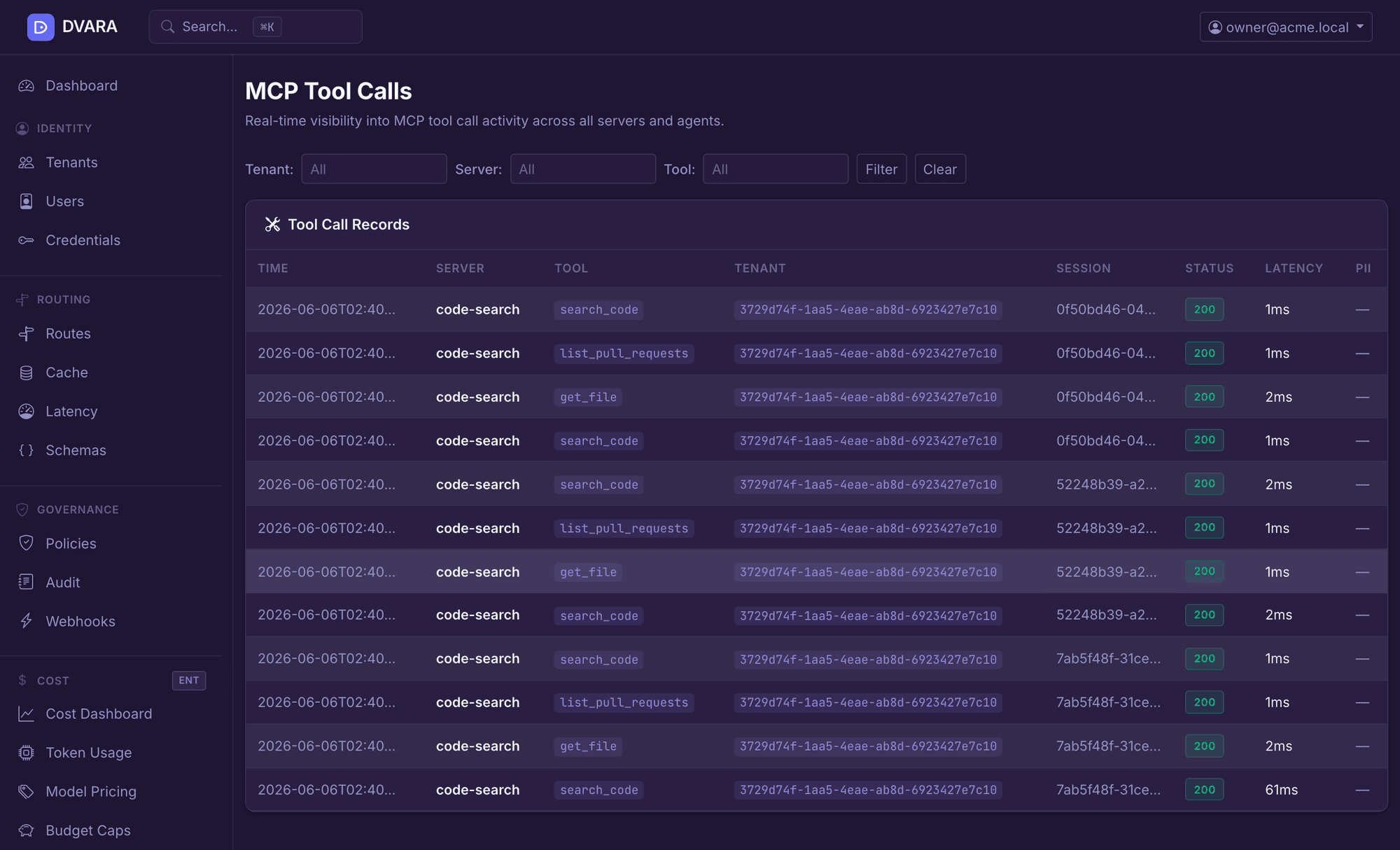
With tool-call storage configured, review recorded activity in Flightdeck by server, tool, workspace, status, and latency. The latest-records view refreshes every five seconds; it pauses while you browse older records.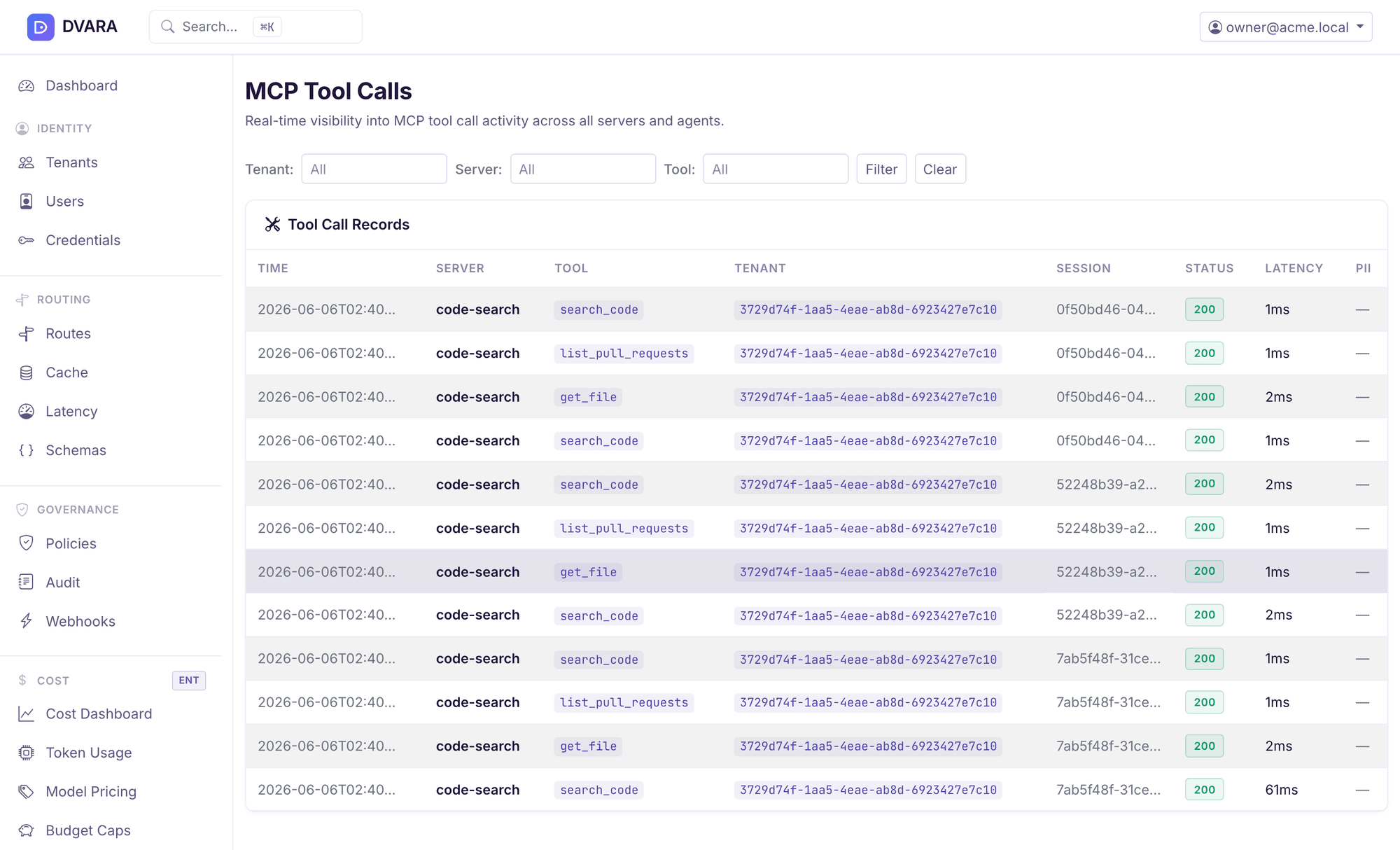
The MCP Gateway runs inside the Enterprise Gateway, alongside the LLM and A2A components. It is not included in DVARA Open Source. See Pricing for activation and production terms.
Follow the MCP setup guide → · Choose a deployment →
For model traffic, use the DVARA LLM Gateway. For agent-to-agent traffic, explore the DVARA A2A Gateway.
Agents connect to DVARA over Streamable HTTP at /mcp using a DVARA API key. DVARA connects to registered MCP servers over Streamable HTTP, SSE, or stdio. A separate REST connector supports configured HTTP tool endpoints; it is not the same as native MCP transport.
Yes. Scope registered servers to workspaces and use virtual MCP servers to expose a curated list of tools. Configure the permitted tools for each virtual server rather than exposing the whole catalog.
No. MCP PII detection and response scanning are on by default, but the default LOG action leaves content unchanged. Configure REDACT to remove detected values or BLOCK to reject a request or withhold a successful upstream response that contains them.
Yes, in delegated mode. The caller supplies its upstream token for DVARA to forward. In stored mode, DVARA resolves the server’s configured credential instead, so the agent does not need that upstream credential.
A direct connection to an upstream server is outside DVARA’s request path. Use network restrictions and appropriate upstream access controls when agents must call tools through the gateway.
Configure access, make a tool call, and inspect the result.