Agents take actions, not just answers. Put an enforcement point in front of them.
An MCP tool call can read a database, send an email, or move money. The DVARA MCP Gateway sits between your agent and the MCP server, so identity, policy, inspection, approval, and evidence apply to the call before it executes — and to the response on the way back. The same model covers agent-to-agent (A2A) governance.
MCP governance needs a Production licence — see pricing.
What does the MCP Gateway actually sit in front of?
Two directions, governed the same way. Your agents and IDEs connect to DVARA as an MCP server, and DVARA connects out to the upstream MCP servers you registered. Because both sides run through the same chain, an agent gets one endpoint and one tool catalog, and you get one place where the controls apply.
The MCP Gateway is itself an MCP server on a single Streamable HTTP endpoint. Any MCP client — an IDE, a desktop assistant, an agent framework — points at it with a DVARA API key, which resolves the session to a workspace.
Southbound, DVARA is an MCP client to the servers you registered, over HTTP, SSE, or stdio. The agent addresses tools by a namespaced name, so two servers offering the same tool never collide.
Listing tools returns the governed catalog across that workspace’s registered servers — or the curated subset if you pointed the agent at a virtual server. A tool that is not in the catalog is not offered.
Governance applies to calls that route through the gateway. A tool an agent reaches over its own direct connection is outside the path, so network policy that keeps agents off the upstream servers is what makes these controls enforceable.
What can you control on a tool call?
Which servers and tools each workspace may reach, what the arguments are allowed to contain, whether a person has to approve before it runs, and how long an agent may keep calling before it is stopped. Every one of those decisions is recorded alongside the call it governed.
Register each MCP server once, then scope which servers and tools a workspace can reach.
A virtual MCP server exposes one allow-listed subset of tools drawn from several registered servers. Only listed tools are visible; everything else is invisible to that agent.
Tool descriptions are scanned for injection when the catalog is assembled. A flagged tool is dropped, so a poisoned description is never handed to your agent in the first place.
Allow or deny by workspace, server, tool, and the arguments themselves — the same policy engine that governs model calls.
Tool-call arguments are scanned before the call is forwarded. Your workspace action decides what happens: block the call, redact the values, or log the detection.
Responses are scanned on success. REDACT rewrites the values as tokens; LOG records the detection and returns the body unchanged. Block does not apply on the response path.
Rules match tool names or servers. A matched call blocks, a webhook carries HMAC-signed approve and deny links, and the decision is recorded. On timeout the configured default applies.
Repetition, cycle, and rate detectors run per session. On detection DVARA writes an audit event, fires a webhook, and returns 429 — and kills the session if you enabled auto-kill.
By default the gateway attaches the server’s stored credential, so the agent holds only its DVARA key. In delegated mode the caller passes its own upstream token, which DVARA forwards without storing or logging it.
Calls are grouped into agent sessions, and one OpenTelemetry trace spans the model turn and the tool calls under it.
Each tool call is recorded with its policy decision, HMAC-signed and hash-chained so a gap or alteration is detectable.
What happens between the agent and the MCP server?
The call runs through a chain of stages, and where a stage sits in that chain is the point: everything through step three happens before the tool executes, so a call that fails one of them never runs. Only the last step sees a result.
- 1
The agent calls DVARA, not the server
The tool request goes to the gateway’s /mcp path rather than to the upstream MCP server. The gateway authenticates the caller and resolves it to a workspace.
- 2
Registry, budget, and policy
The gateway looks the server and tool up in the registry, applies rate limits and budget, and evaluates the call against workspace and platform policy — including its arguments.
- 3
Loops, approval, and inspection
Loop detectors check the session history, a matching approval rule blocks the call until someone decides, and the arguments are scanned for PII and injection. All of this happens before execution.
- 4
The upstream server runs the tool
Only a call that survived every stage above reaches the MCP server, carrying the credential DVARA attached rather than one the agent holds.
- 5
The response is inspected on the way back
On a successful response the body is scanned for PII: redacted into tokens or logged, depending on your workspace action. The call, its policy decision, and its outcome are recorded and signed.
How does the MCP Gateway fit with the rest of DVARA?
Four components, deployed and scaled separately, sharing one control plane and one audit chain. You run the ones you need.
The OpenAI-compatible data plane for model calls. This is the surface the free Developer path covers, and the one an existing SDK points at unchanged.
This page. A governance path for tool calls on the same gateway, activated by a licence.
Agent-to-agent calls, governed per hop with their own policy, PII scanning, approval, loop detection, and audit chain.
The console. Registry, policies, approval queue, tool-call records, sessions, and the reports built from them.
Where do you see every tool call your agents made?
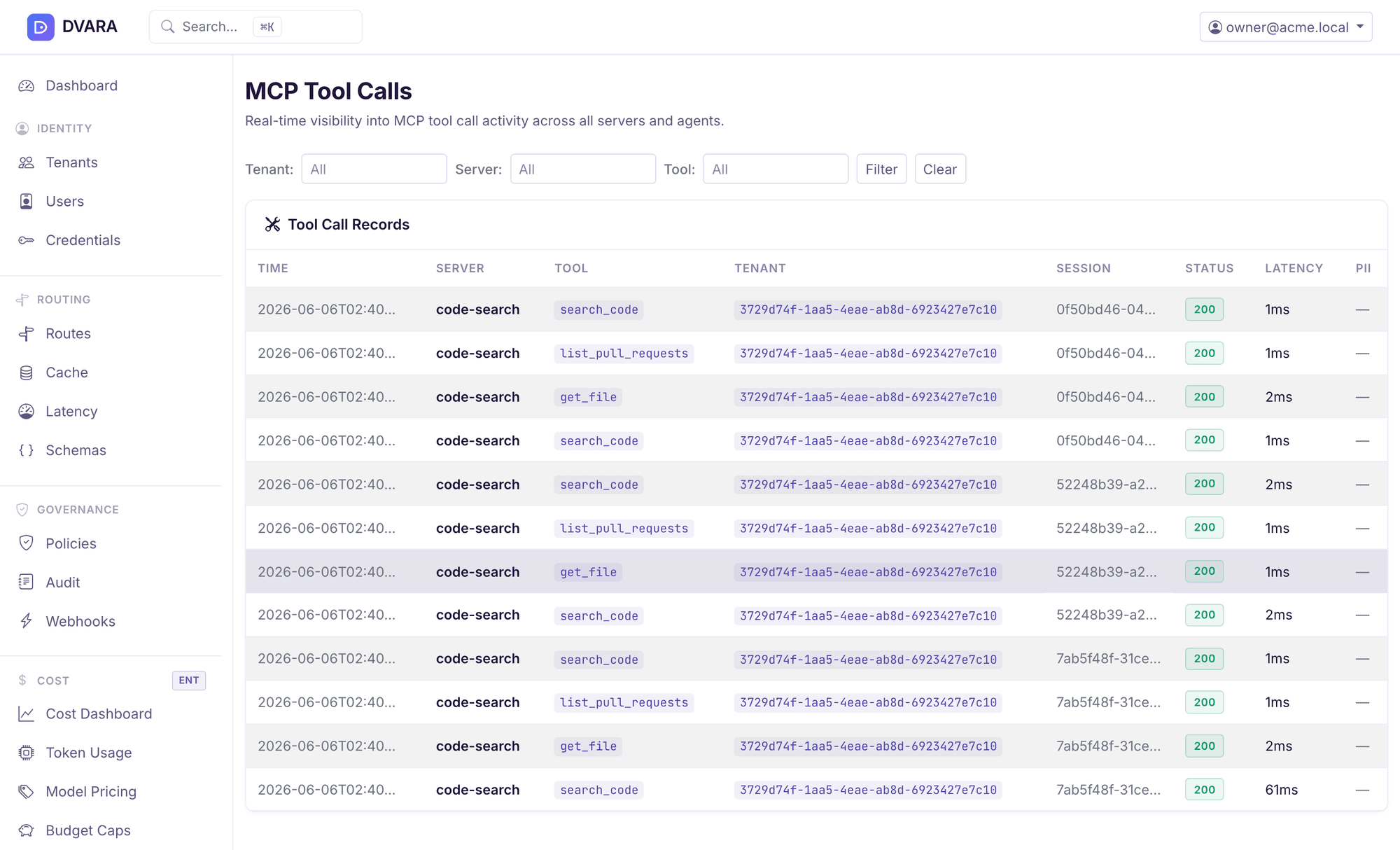
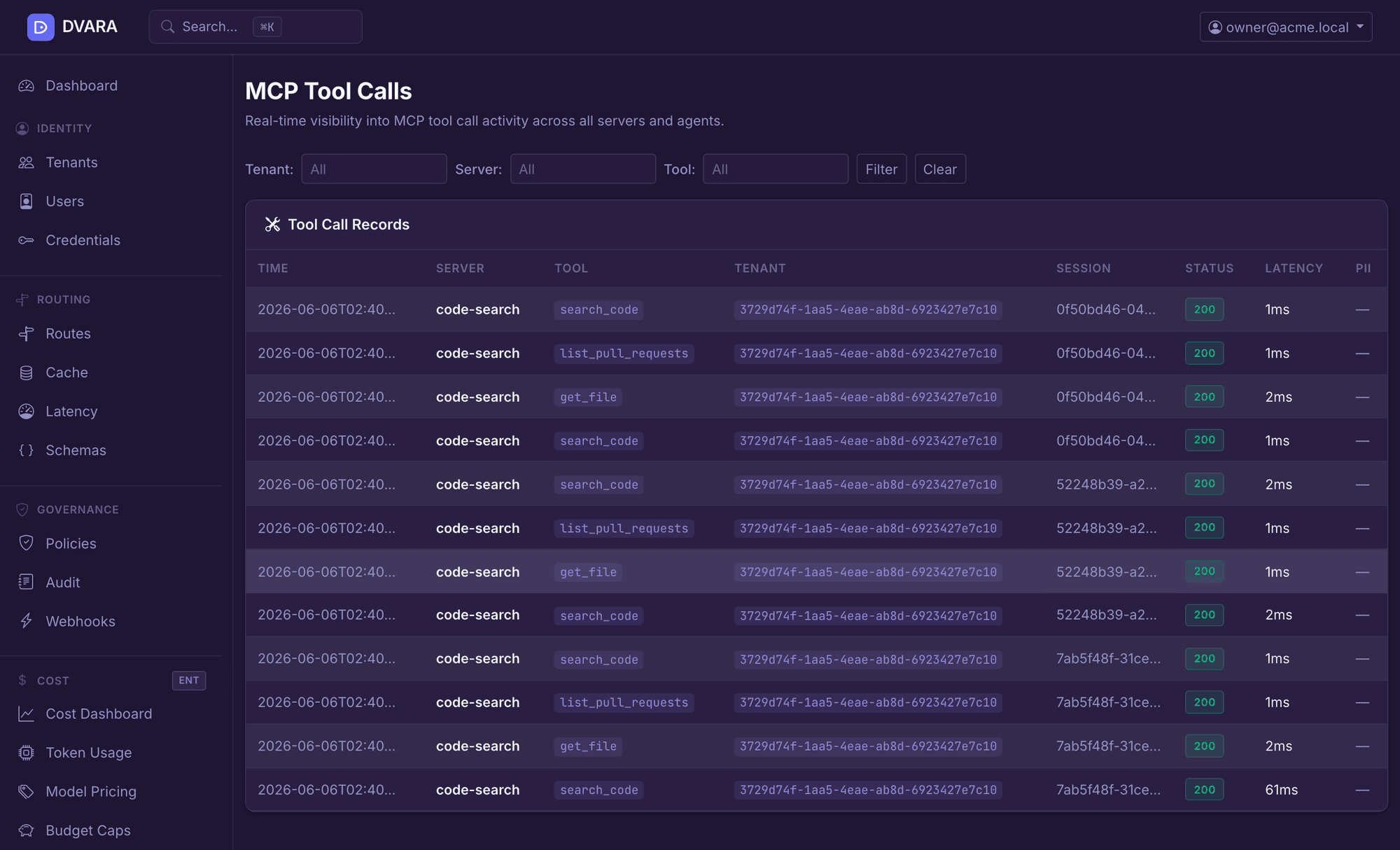
In DVARA Flightdeck. Each tool call appears as it happens, with its server, tool, workspace, session, status, and latency.


How does DVARA compare on MCP tool-call governance?
Against the three alternatives that score strongest on MCP tool governance in the matrix behind how DVARA compares — chosen by score, not by how well DVARA does against them. Each row is checkable against that product's own public documentation.
| Capability | DVARA | Bifrost | Portkey | Kong AI |
|---|---|---|---|---|
| MCP tool calls proxied & governed | ✓ | ✓ | ✓ | ✓ |
| MCP server registry + credential store | ✓ | ✓ | ✓ | ✓ |
| MCP argument-level policy rules | ✓ | ∼ | ∼ | ∼ |
| MCP PII scanning (args + response) | ✓ | ∼ | ∼ | ∼ |
| MCP rate limiting per workspace | ✓ | ✓ | ∼ | ∼ |
| Pricing model | Licensed, sized by request volume — no hard stop on overage | See their pricing | Subscription from $49/mo + per-request overage (source) | See their pricing |
Every column but ours describes what that vendor's public documentation said when we read it in June 2026 (pricing: August 2026) — a dash means we did not find the capability documented, not that the product cannot do it. Vendors ship continuously; check their docs before deciding. The DVARA column is a claim about our own code and is verified against the released tag. For the full matrix across ten alternatives, see how DVARA compares.
What do you need to run MCP governance?
MCP governance is licensed — it is not part of the free path — and two separate things gate it. See what a Production licence covers.
MCP governance runs inside the gateway you already deploy. Both images are public, so there is no second image to pull and no registry credential to request — the licence is what activates the /mcp paths.
Without a valid key the licensed governance does not run, and the /mcp paths are not registered at all — a request there answers 404, not a licence error. Plan the licence before the rollout rather than after.
The DVARA LLM Gateway and DVARA Flightdeck are public images you can run today with no key and no account. That is what the quickstart starts, and a licence adds MCP governance to that same install rather than a second one.
Common questions about MCP governance
What does the DVARA MCP Gateway govern?
The calls your agents make to MCP servers — the tool calls, not the model calls. Each one is authenticated to a workspace, resolved against a registry of servers you have registered, evaluated against policy, inspected, and recorded. A tool an agent reaches by some other route is not in that path.
Does the agent call MCP servers directly?
No — it calls the gateway’s /mcp path, which calls the upstream server. That is what makes the controls enforceable rather than advisory: the agent never holds the connection to the server, so it cannot skip a stage by choosing not to call one.
Can policies differ by workspace, server, tool, or argument?
Yes, all four. Approval rules match tool-name patterns or server IDs, workspaces carry their own policy and PII settings, and policy evaluation reaches the arguments rather than stopping at the tool name.
Can sensitive tools require human approval?
Yes, for tools matched by an approval rule. The call blocks while a webhook carries HMAC-signed approve and deny links to whoever decides, and the decision is persisted, so it survives a restart and applies fleet-wide. If nobody answers before the timeout, the action you configured as the default applies.
What happens to MCP arguments and responses?
Arguments are scanned before the call is forwarded, and your workspace action decides the outcome: block, redact, or log. Responses are scanned on success, where redact rewrites the values as tokens and log records the detection and returns the body unchanged. Blocking is not applied on the response path.
Where do MCP credentials live?
By default the server’s credential is stored in DVARA and attached by the gateway, so the agent holds only its own DVARA key. In delegated mode the caller sends its own upstream token instead, and DVARA forwards it for that one call without storing or logging it — in that mode the agent does hold the upstream credential.
How are MCP calls connected to model turns and agent sessions?
Tool calls are grouped into agent sessions and carry a trace ID, and one OpenTelemetry trace spans the model turn and the tool calls underneath it. Each record also carries the workspace, server, tool, policy decision, status, and latency.
What stops runaway tool-call loops?
Three detectors run per session: consecutive repeats of the same tool, repeating cycles in the call history, and call rate in a sliding window. When one fires, DVARA writes an audit event, sends a webhook, and returns 429. It ends the session automatically only if you enabled auto-kill, which is off by default; you can also kill a session yourself from the admin API.
Do I need a licence to use MCP governance?
Yes, and that is the only gate. There is one image per application and a licence decides what runs, so nothing extra is pulled and no registry credential is issued — a valid key activates the /mcp paths on the gateway you already run. Without one those paths are not registered at all and answer 404. Everything else runs with no key and no account.
Put one agent's tool calls behind the gateway.
Start with the free gateway and console, point one agent at them, and add MCP governance when you want tool calls in the same path. Or read how the controls work first.