Structured identifiers
Built-in local patterns detect formats such as email addresses and supported identity or payment numbers. Some types add checksum validation. Add custom patterns for identifiers specific to your business.
Customer details can enter a prompt or appear in a model’s reply. DVARA’s AI governance platform detects configured PII patterns and applies the action you choose: log, block, redact, or tokenize.
Illustration of a provider-bound request, not a live PII scan. Assume scanning is enabled, the email is detected, and no other control rejects the call. TOKENIZE needs the Enterprise token store; the sample token below is not recoverable.
Email alex@example.com about the invoice.
Invented demo addressEmail [REDACTED_EMAIL] about the invoice.
The replacement is irreversible. Redaction stores no original value.Event: PII_REDACTEDAn audit event records the decision when an audit sink is configured. Detection is not a guarantee that every sensitive value will be found.
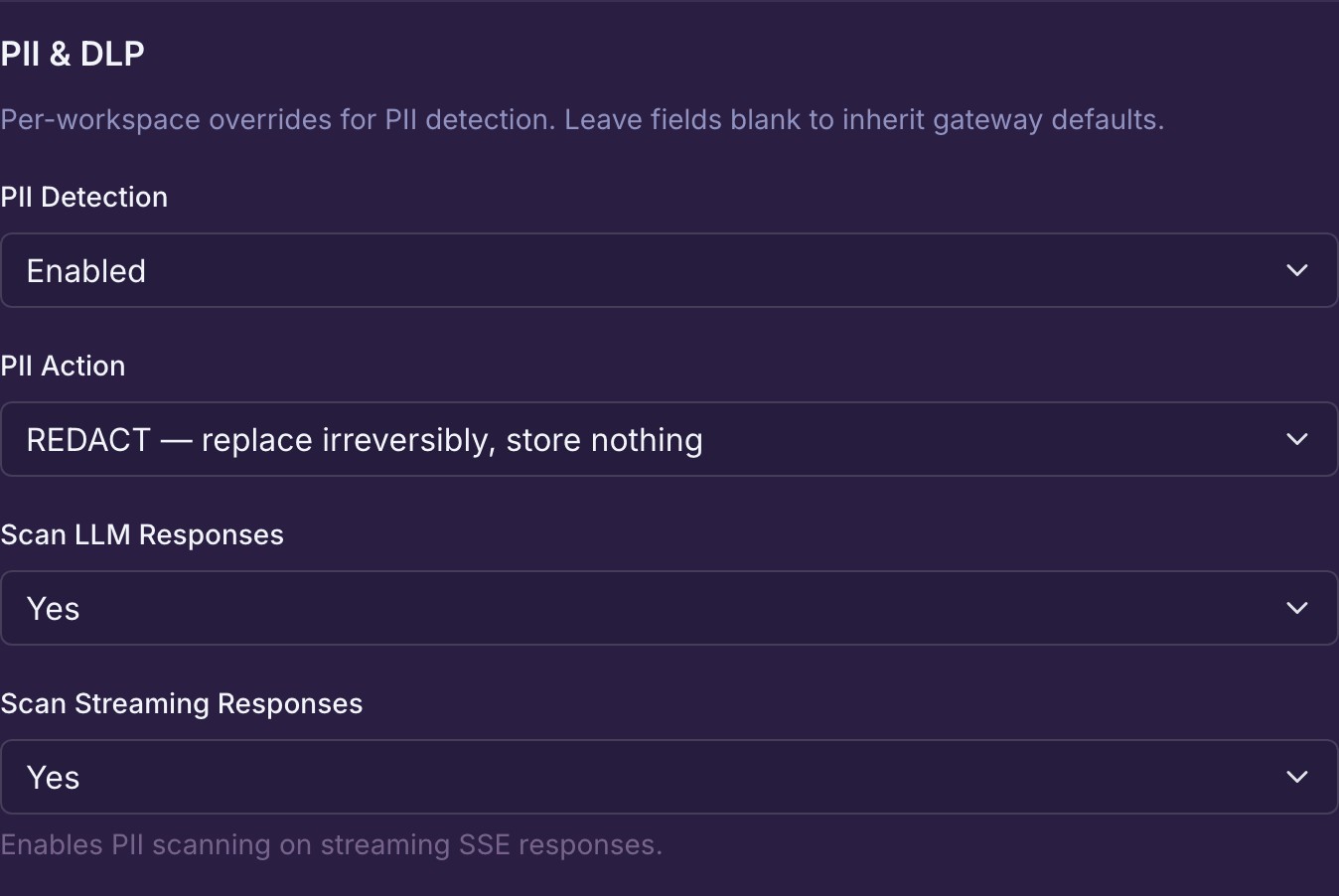
Here, the Customer Support demo workspace uses REDACT, with response and streaming scans enabled. These are saved Flightdeck settings—not proof that a request has been tested.
Start with an invented email address, confirm the rewritten request at a test provider, and check the available audit evidence. Include an ordinary request that should stay unchanged.
Follow the request and response examples →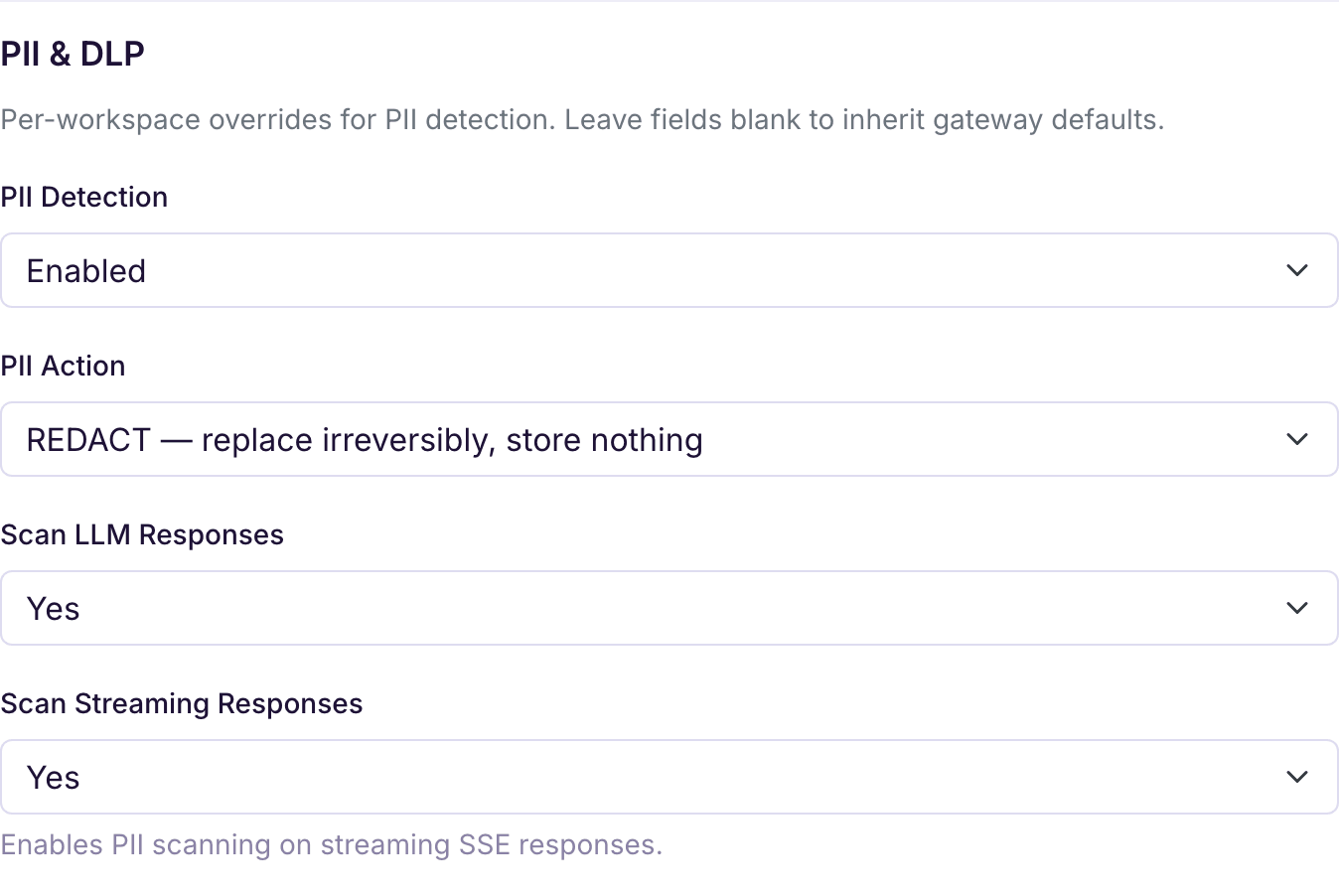
With PII scanning enabled, these actions apply when a value is detected in an LLM chat call. Response scanning has its own switch, enabled by default.
| Action | Request sent to the provider | New PII in a non-streaming reply |
|---|---|---|
| LOG | Unchanged | Returned unchanged; detection is recorded |
| BLOCK | Rejected before the provider call | Response rejected after the provider has replied |
| REDACT | Detected values replaced irreversibly | Detected values replaced irreversibly |
| TOKENIZE | Detected values replaced with recoverable tokens | Newly detected values removed irreversibly, not tokenized |
For streamed replies, BLOCK, REDACT, and TOKENIZE hold generated content until the complete response is checked. LOG does not withhold content by itself. Other enabled controls can require buffering too.
The provider has already processed the prompt when an output check runs. These controls cannot undo that call. MCP and A2A have their own transport and response behavior; do not apply this LLM table to every gateway.
Built-in local patterns detect formats such as email addresses and supported identity or payment numbers. Some types add checksum validation. Add custom patterns for identifiers specific to your business.
Configure a Presidio analyzer for additional named-entity detection. Text is sent to that endpoint. If the analyzer fails or returns unusable results, that layer contributes no detections; other configured layers still run.
Phileas runs in-process when its library is present and pii.embedded.enabled is enabled under dvara.llm-gateway. It is off by default. A configuration switch alone does not install a missing scanner.
Open Source includes built-in patterns, LOG, BLOCK, and irreversible REDACT. Enterprise adds Flightdeck, reversible token storage, and the optional detector integrations described above. Check capability availability for packaging and prerequisites; Pricing covers production terms.
Choose REDACT when the original value should not be retained by the redaction step. Choose TOKENIZE when your workflow needs authorized recovery from an encrypted, workspace-scoped token store.
Tokens are subject to retention, capacity, and store availability. They are not a permanent backup. A distribution without tokenization support refuses detected PII under TOKENIZE rather than quietly claiming to have tokenized it.
Review token storage and failure behavior →PII decision events carry entity types and counts rather than the detected values. That does not describe every log or storage system: review prompt-storage settings, application logs, external analyzers, and token retention separately.
Understand recorded evidence →pii.strip-before-cache, under dvara.llm-gateway, defaults to true. With PII scanning enabled, it removes detected values from the request representation used for cache lookup and storage. It is configurable—not an unconditional promise that every cached response is free of PII.
Response protection depends on enabled output checks and their action. Automatic token restoration runs after the cache step.
No. PII detection, response scanning, and streaming scanning are enabled by default, but the default action is LOG. Detected content continues unchanged. Choose REDACT, BLOCK, or supported TOKENIZE explicitly and test the paths your application uses.
No. REDACT replaces the detected value without storing the original. TOKENIZE is the separate reversible option: recovery requires access to the correct workspace and token store, and is subject to retention and storage limits.
No. Built-in patterns use format and, for supported types, checksum checks. Custom patterns use the rules you supply. A valid-looking identifier is not proof that it belongs to a person; detection can produce both false positives and misses.
Local pattern checks do not send text to a detection service. Presidio receives text over HTTP at the analyzer endpoint you configure. Its location, network access, and transport security determine that boundary; DVARA cannot infer that the endpoint is inside your network.
Use invented examples first. Verify the request, response, and recorded decision before widening the rollout.